Alerts and reports

Hear about it when it happens. Share it when you like.

Emails that tell you when a post takes off, when your website goes down, how the month went and what to fix this week. Plus a public stats page for sponsors, and your numbers in CSV, Excel or PDF.

Start your 30-day trialTry the live demo

Traffic spike alerts

We check every hour. When a page gets at least 25 visitors in an hour and five times its usual, we email you, with where the visitors are coming from. Reply to the thread, share it again, or add a sign-up box while the crowd is there.

  • Checked every hour, around the clock
  • Only real spikes: 25 visitors in an hour and five times the usual
  • Says where the visitors are coming from
  • On by default, and you can switch it off in Settings
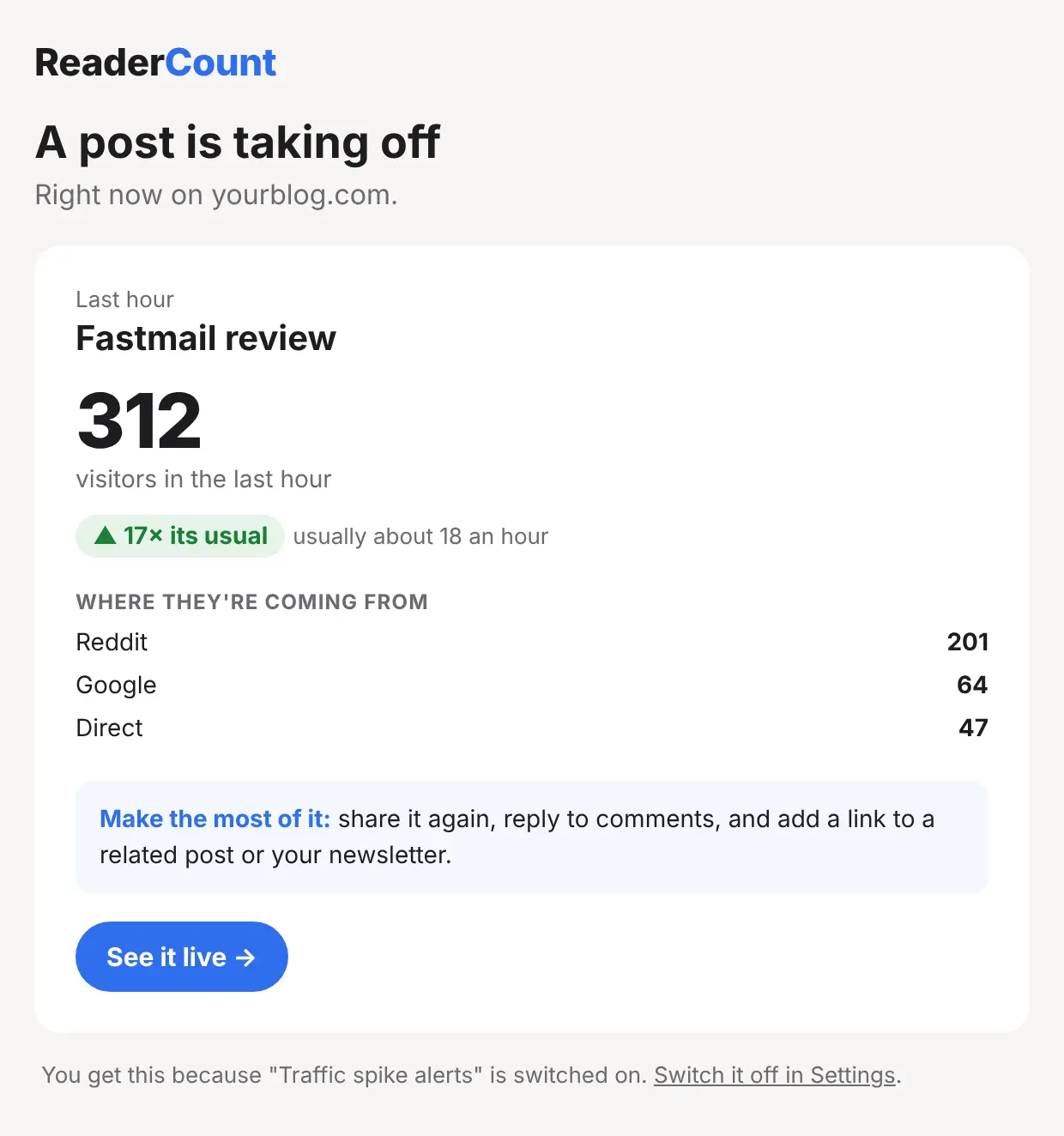
A ReaderCount traffic spike email: 312 visitors in the last hour, 17 times the usual, with where they came from

Monthly review

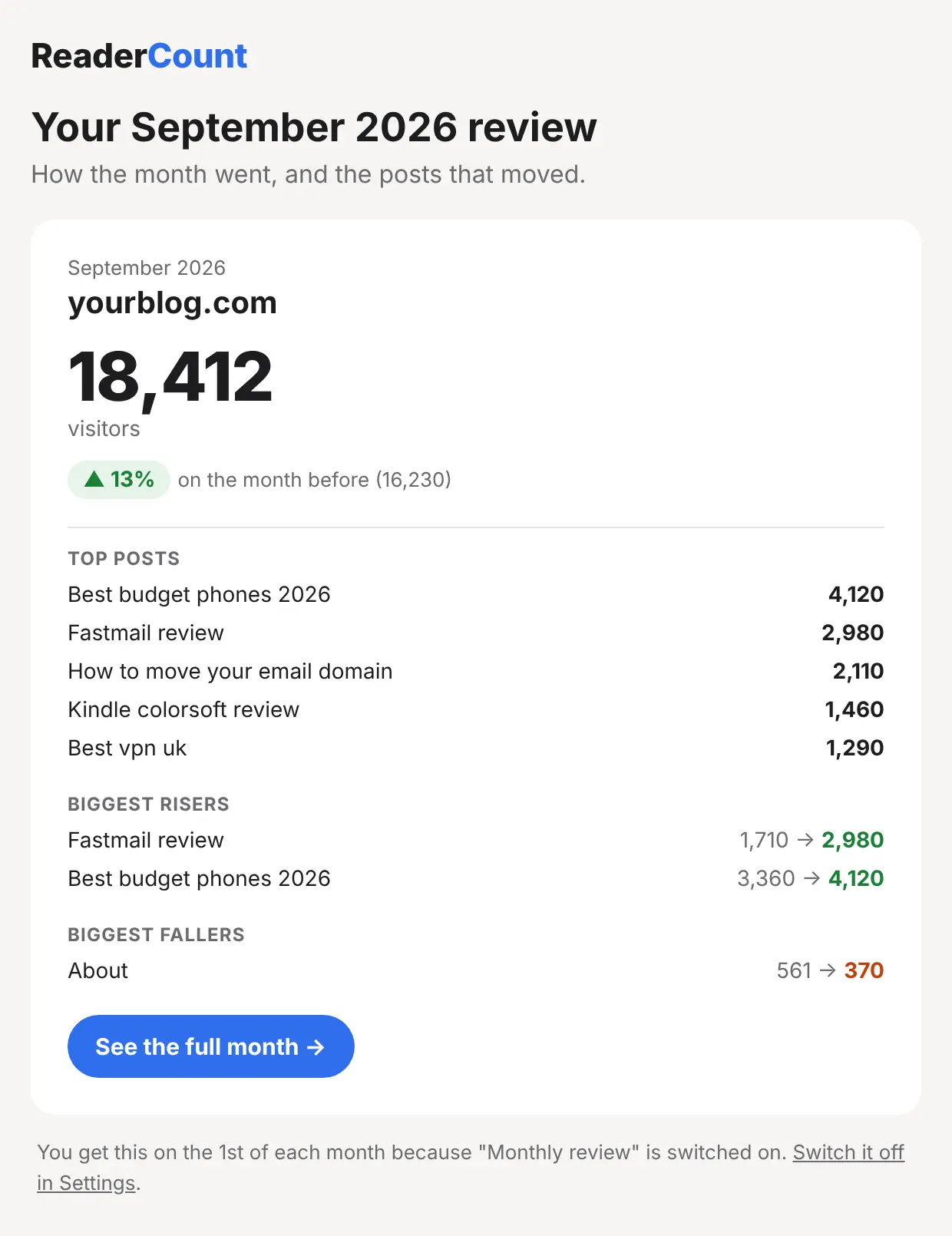
An email on the first of each month with your visitors against last month, your top posts, and the biggest risers and fallers. Five minutes with a coffee and you know how the month went.

On by default. Switch it off in Settings.

A ReaderCount monthly review email with visitors against the month before, top posts, and the biggest risers and fallers

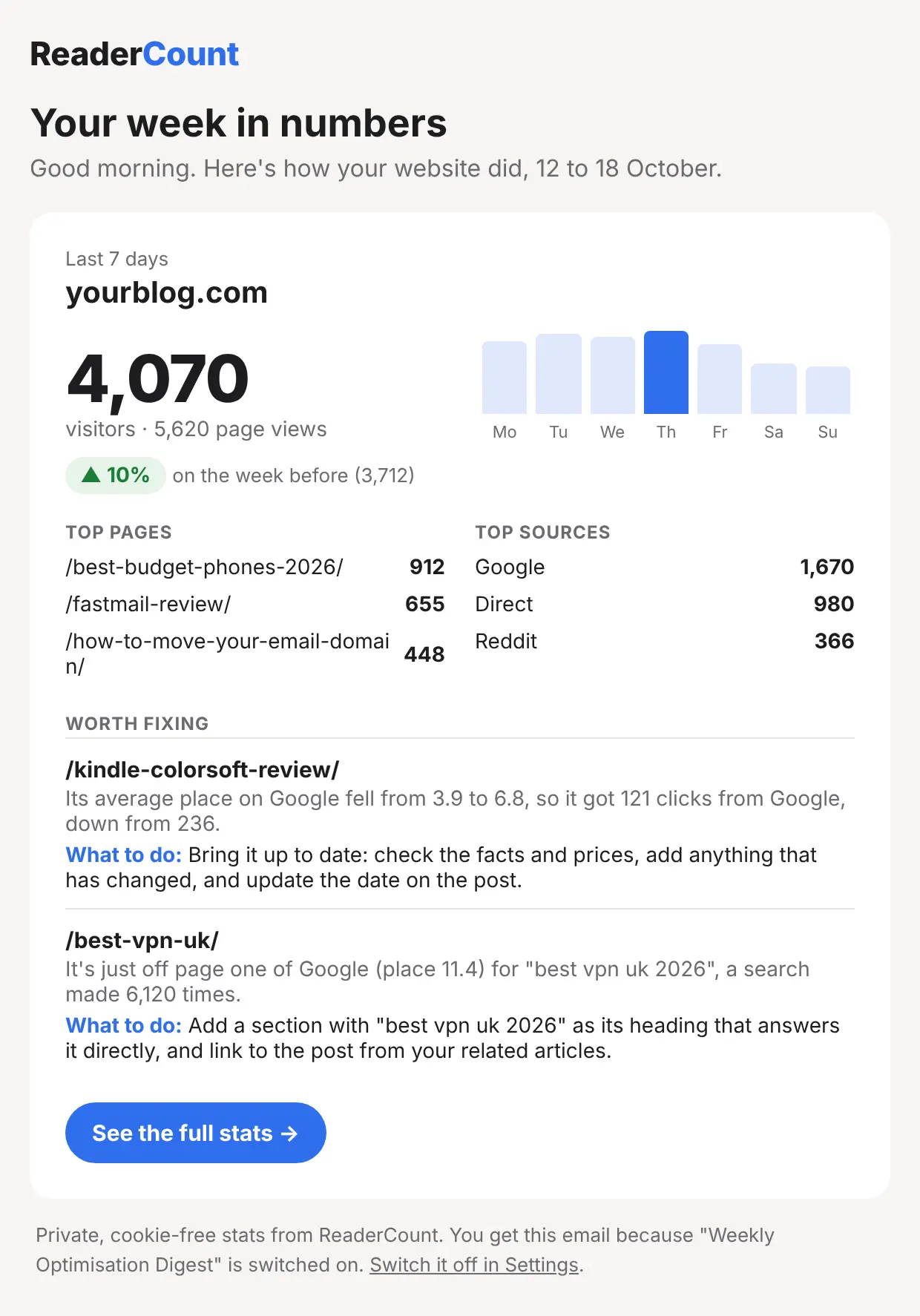
Weekly email on Mondays

A card for each website with the last seven days against the week before, a bar for each day, your top pages and sources, and the posts worth fixing from What to fix.

The ReaderCount Monday email: the week in visitors, a bar for each day, top pages and sources, and what to fix

A public stats page, and a badge

Show sponsors and advertisers your real numbers with a public stats page at its own address. It is off until you switch it on, and before a website’s stats can be public we check you run it, by finding your ReaderCount code on its home page or a DNS record we give you.

Add a “See my stats” badge to your footer, in light or dark, to link to it.

Sponsors can also download a one-page media kit: a PDF of your visitors, countries, devices and most-read pages, with a link back to your live numbers. See an example.

The light See my stats badgeThe dark See my stats badge

Site down alerts

We open your home page every 5 minutes. If it fails twice in a row, about 10 minutes, we email you, and again when it’s back with how long it was down. On by default, and you can switch it off in Settings.

Site health at a glance

One card at the top of your stats lists what’s wrong right now, worst first: your website down, visits that have stopped arriving, broken links on your own pages, pictures that don’t load, slow pages and script errors.

Triggers, with no code

Count a page visited, a link clicked or a form sent as a goal, straight from Settings. Get an email each time, a daily round-up, or a message in Slack, Teams, Discord or Zapier.

Export to CSV, Excel or PDF

Download your visitors, pages, sources and link clicks as a CSV or Excel file for your own spreadsheets, or as a PDF to send to a client or sponsor.

Your data stays yours

Download all your stats whenever you like. Delete your account from Settings and every visit, note, import, API key and connection goes with it, and we email you to confirm.

Coming soon

Next for this part of ReaderCount. Every account gets each one as it arrives.

Coming soon

Every alert in Slack, Teams or Discord

Triggers can already post to Slack, Teams, Discord or Zapier. Next: spike alerts, site down alerts and your weekly summary, posted there too.

Coming soon

Client reports with your logo

A monthly PDF report with your logo and colours, ready to send to clients. Part of the agency edition.

More ReaderCount features

Stats that come to you. Not the other way round.

Spike alerts and the monthly review are on from day one. You only open the dashboard when you want to.

Start your 30-day trialSee plans and prices

No card needed. Then from £9 a month. Try the live demo first if you like.