
ReaderCount for WordPress
Our WordPress plugin adds ReaderCount to every page of your site, leaves out your own visits, and puts your week’s stats on the WordPress Dashboard. No cookies, no cookie banner and nothing to edit in your theme.
New: ReaderCount is now listed in the official WordPress plugin directory, so you can install it straight from your WordPress dashboard, and updates arrive like any other plugin.
Get it onWordPress.org Start your 30-day trial
What it does
- Counts your visitors: adds ReaderCount’s script (under 2 KB, loaded with
defer) to every page, with your website’s name filled in. - Leaves out your own visits: anyone who can edit the site isn’t counted while they’re signed in, so your own reading doesn’t skew the numbers.
- Finds missing pages: WordPress “not found” pages are marked, so the addresses readers can’t reach show up in your missing page report.
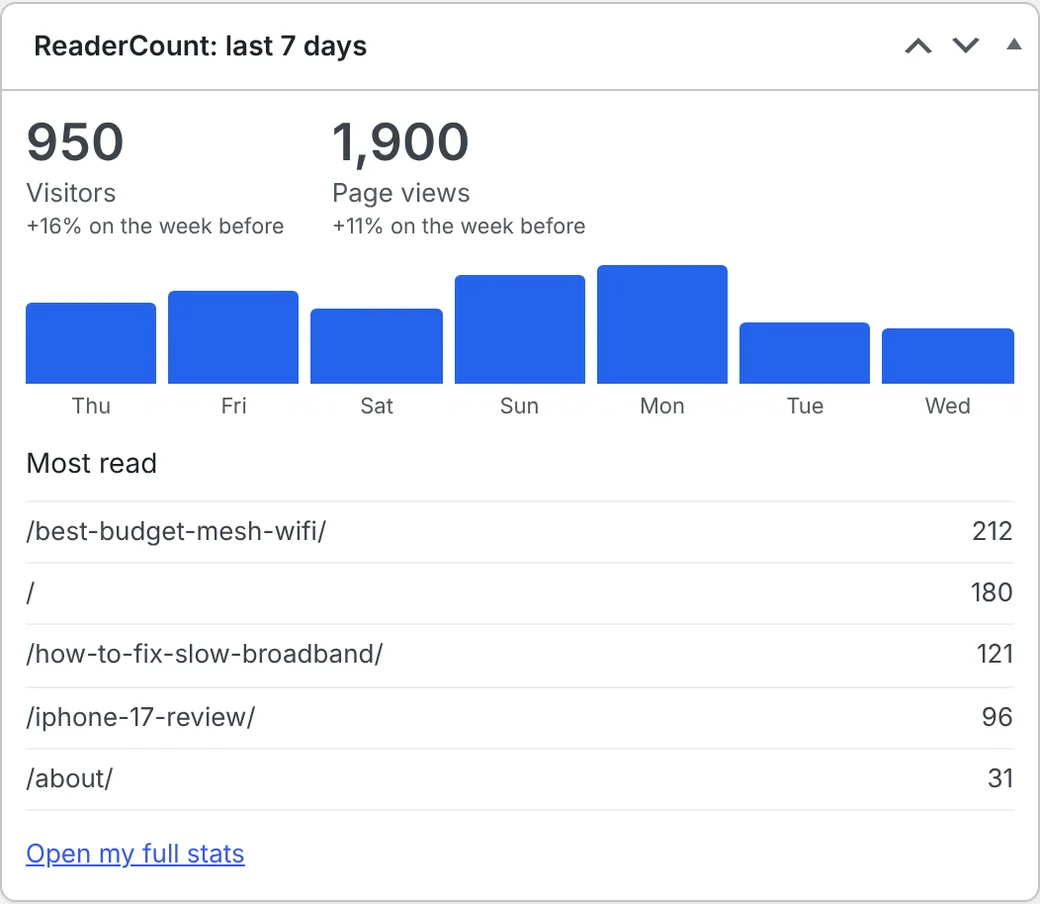
- Your week on the Dashboard: add a read-only API key and the WordPress Dashboard shows the last 7 days’ visitors and page views against the week before, and your most-read pages.
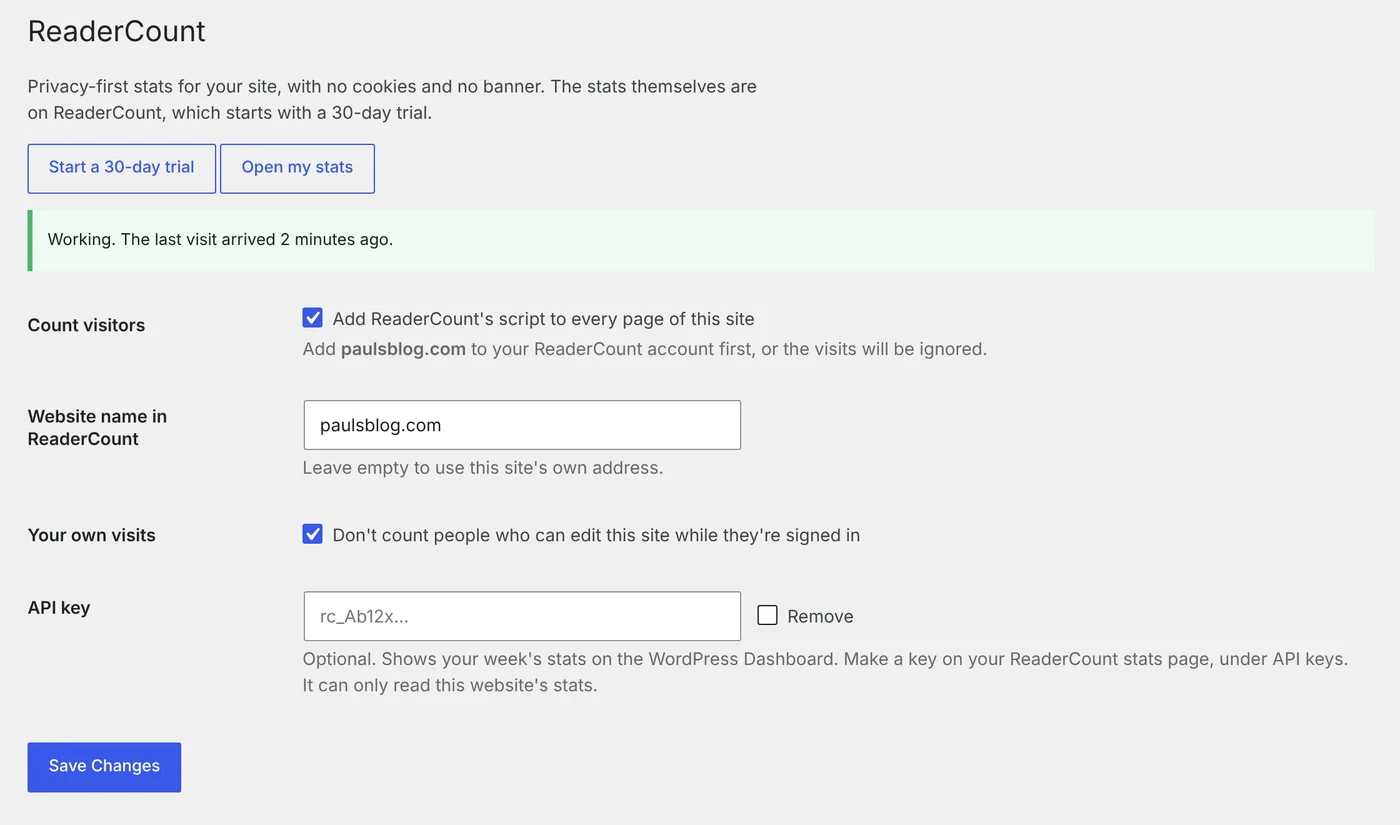
- Check it’s working: one button asks ReaderCount whether your visits are arriving.
Set it up
- Start your 30-day trial and add your website’s address.
- In WordPress, go to Plugins › Add New, search for ReaderCount, then press Install Now and Activate. You can also find it on WordPress.org.
- Go to Settings › ReaderCount, tick Count visitors and save. Your first visit shows on your stats within a minute.
- Optional: on your ReaderCount stats page, open Settings › API Keys, make a key and paste it into the plugin’s API key box to see your stats on the Dashboard.
Can’t add plugins from the directory on your site? Download the plugin and use Plugins › Add New › Upload Plugin instead.
Questions
Do I need a ReaderCount plan?
The plugin costs nothing. Your stats are kept on ReaderCount, which starts with a 30-day trial and then costs from £9 a month. See plans and prices.
I use a caching plugin. Does that matter?
No. The script runs in your reader’s browser, so cached pages are counted too. If you change the plugin’s settings, clear your cache so every page picks them up.
Can I keep my own visits out on a device where I’m not signed in?
Yes. Open any page of your site once with #readercount-ignore on the end of the address. #readercount-count undoes it.
What does the plugin send to ReaderCount?
Only what ReaderCount’s script sends on any website: the page address, where the reader came from, their browser and device type, how long the page was on screen, and clicks on links to other websites and file downloads. Nothing is sent until you tick Count visitors. The API key stays on your server and is only used to read your own stats. See our privacy policy.
WordPress is a trademark of the WordPress Foundation. Ghost is a trademark of the Ghost Foundation. ReaderCount is not affiliated with or endorsed by either.