
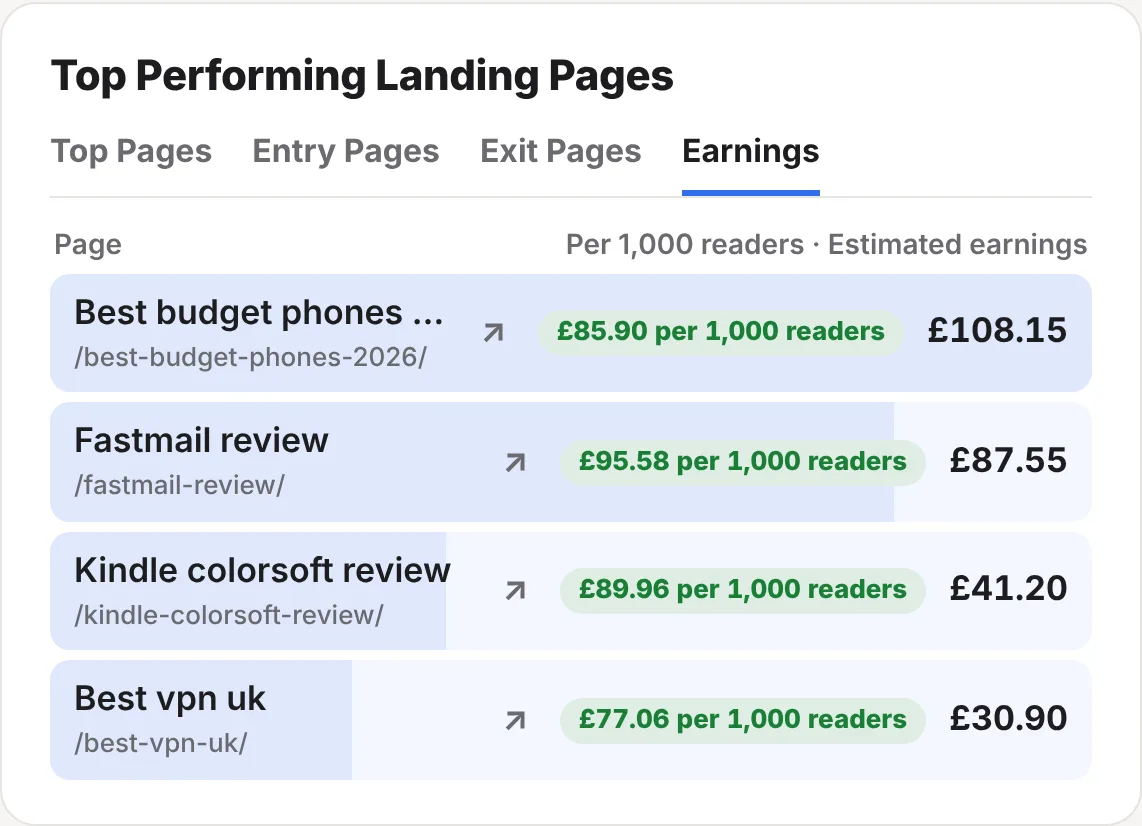
What you get
- Your AdSense earnings for each post, not just each website
- Earnings per 1,000 readers, so you can compare a busy post with a quiet one
- What each source of readers earns, such as Google, your newsletter or Reddit
- One sign-in for all your websites
- Read-only: ReaderCount can view your AdSense reports and nothing else
- Alongside your affiliate earnings, in the same cards
How to connect AdSense
- Open Settings on your stats page and find Earnings per post. Click Manage.
- Click Connect AdSense under Google AdSense, and sign in with the Google account that has your AdSense account.
- Allow ReaderCount to view your AdSense data on Google’s page. You’re then sent back to your stats.
- That’s it. ReaderCount brings in your last 30 days straight away, then checks again every night.
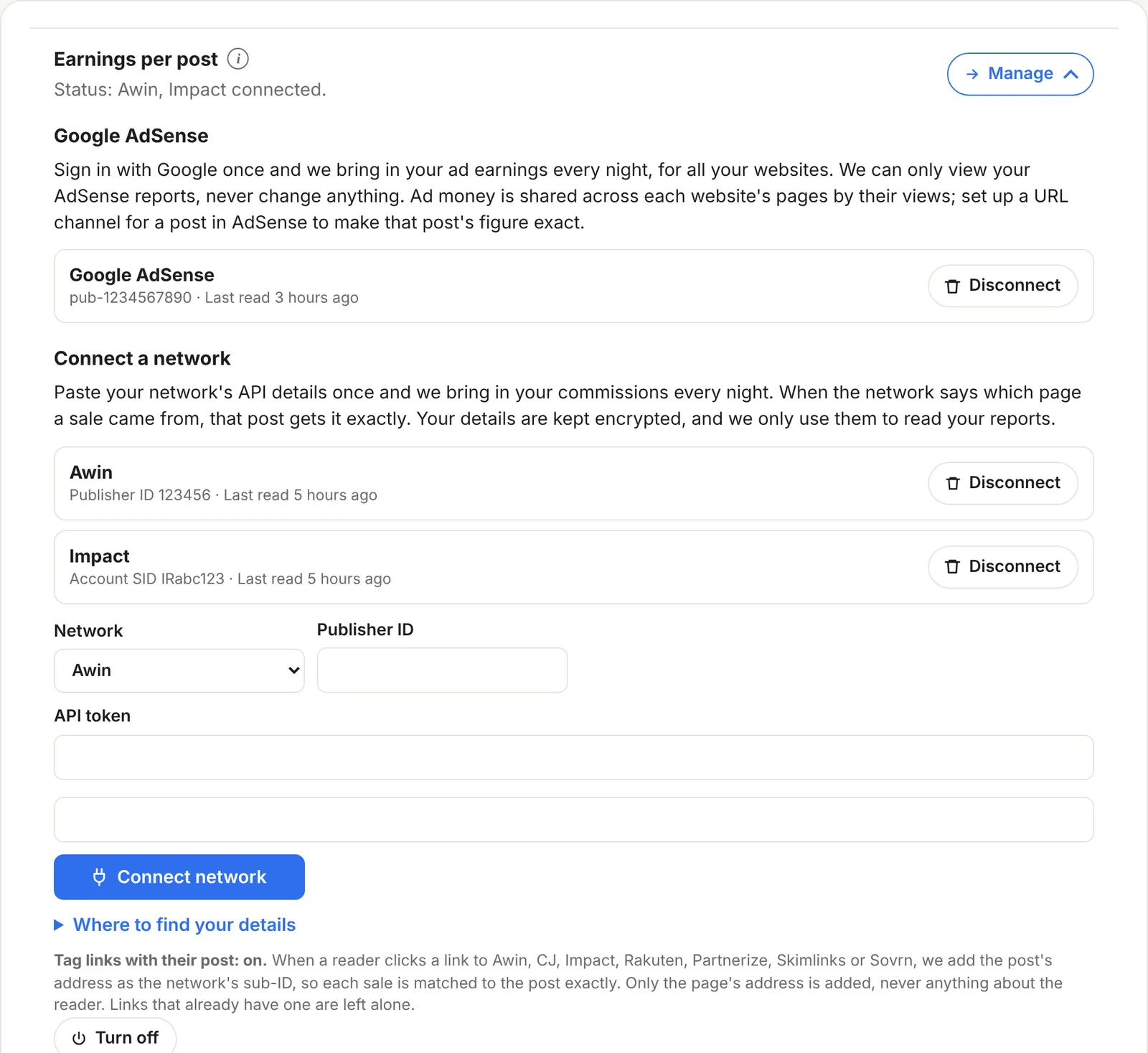
One connection covers every website on your ReaderCount account. Earnings for each website in AdSense go to the matching website in ReaderCount.
How ad money is shared across posts
AdSense reports earnings by day and by website, not by page. So ReaderCount shares each day’s ad money across that website’s pages by their page views. Ads pay for being seen, so a page with twice the views gets twice the share.
Make a post’s figure exact
AdSense can report on a single page if you set up a URL channel for it. ReaderCount reads URL channels too, and uses them in place of the shared estimate:
- In AdSense, find URL channels and add one for the post, such as
yourblog.com/best-vpn/. Google’s AdSense help shows where it is in your account. - Wait for the next night. From then on, that post’s ad earnings are AdSense’s own figure, and the rest are shared across your other pages.
Tip: set up URL channels for your ten busiest posts. They usually earn most of your ad money, so most of your figures become exact.
Where your ad earnings show
- Top Pages › Earnings: each post’s earnings and earnings per 1,000 readers, with AdSense added to any affiliate earnings.
- Earnings Insights: what each source of readers earns, and posts that earn well but are slipping. See Earnings Insights.
- Money alerts: an email if earnings drop sharply. See money alerts.
- The Monday email: your week’s earnings, if you get the weekly email.
Access, privacy and disconnecting
- Read-only. ReaderCount asks Google to view your AdSense data, nothing more. It can’t change your ads, your settings or your payments.
- Your sign-in is kept encrypted, and only used to read your reports each night.
- Disconnect any time. Disconnect in Settings hands the access back to Google and deletes every AdSense figure ReaderCount brought in.
The fine detail
| What’s read | The last 30 days of estimated earnings, by day, website and URL channel, every night. |
| Currency | Earnings are brought in in sterling, like the rest of your earnings. |
| Estimates | AdSense reports estimated earnings, which Google finalises later, and figures shared by page views are estimates too. Your AdSense account is the final word. |
| Public stats page | Earnings are never shown on your public stats page. |
| Plans | Included on every plan and in the 30-day trial. See plans and prices. |
Questions
Do I need to change my ad code?
No. ReaderCount reads your AdSense reports. Nothing on your pages changes.
Why is a post’s ad figure an estimate?
AdSense only reports by website unless you set up a URL channel for the post. Without one, ReaderCount shares the website’s ad money by page views. Add a URL channel and that post’s figure becomes AdSense’s own.
Can ReaderCount change my AdSense account?
No. It can only view your reports, and you can remove access at any time from Settings or your Google account.
I have several websites. Do I connect each one?
No. One sign-in covers every website on your ReaderCount account.
Does it work with affiliate earnings too?
Yes. AdSense and your affiliate networks add up in the same cards.
Still have a question? Get in touch and we’ll help.