
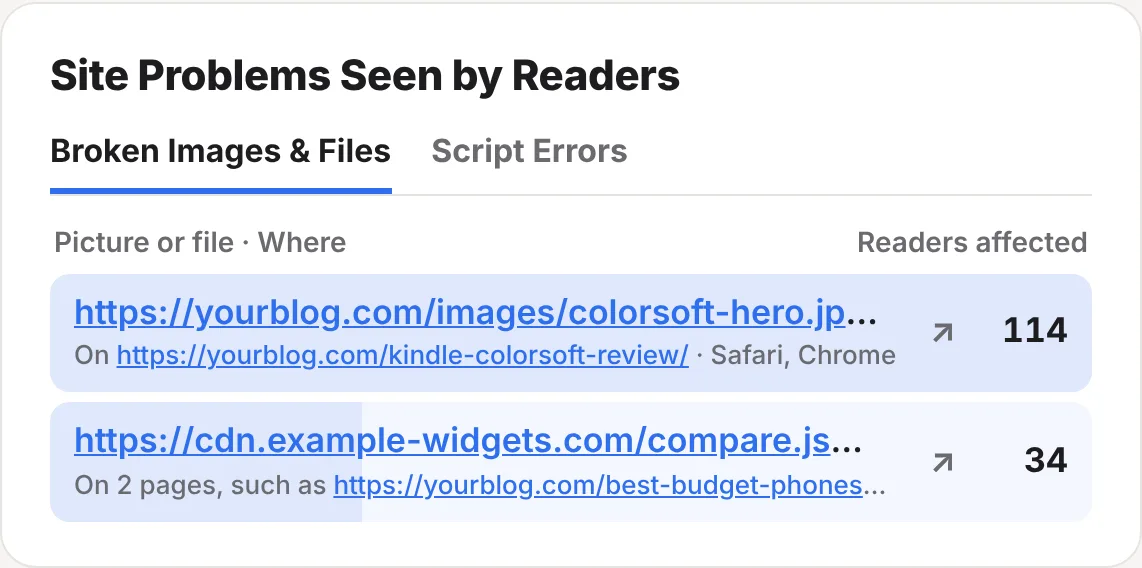
What you get
- Broken outbound links: links readers clicked that stopped working, checked every day, with one email for each
- Broken pictures and files that didn’t load for readers, with the page and browsers
- Script errors that broke something on a page in readers’ browsers
- Missing pages: the addresses readers tried that say “not found”, and where they came from
- Broken links on your own pages named, so you know exactly what to edit
- No crawling. It’s worked out from real readers, so it finds the problems that matter
Broken links to other websites
Every day, ReaderCount checks the links to other websites that your readers clicked in the last 30 days. Only links people actually use, so the list stays short.
- Each link is opened by our checker, following up to five redirects.
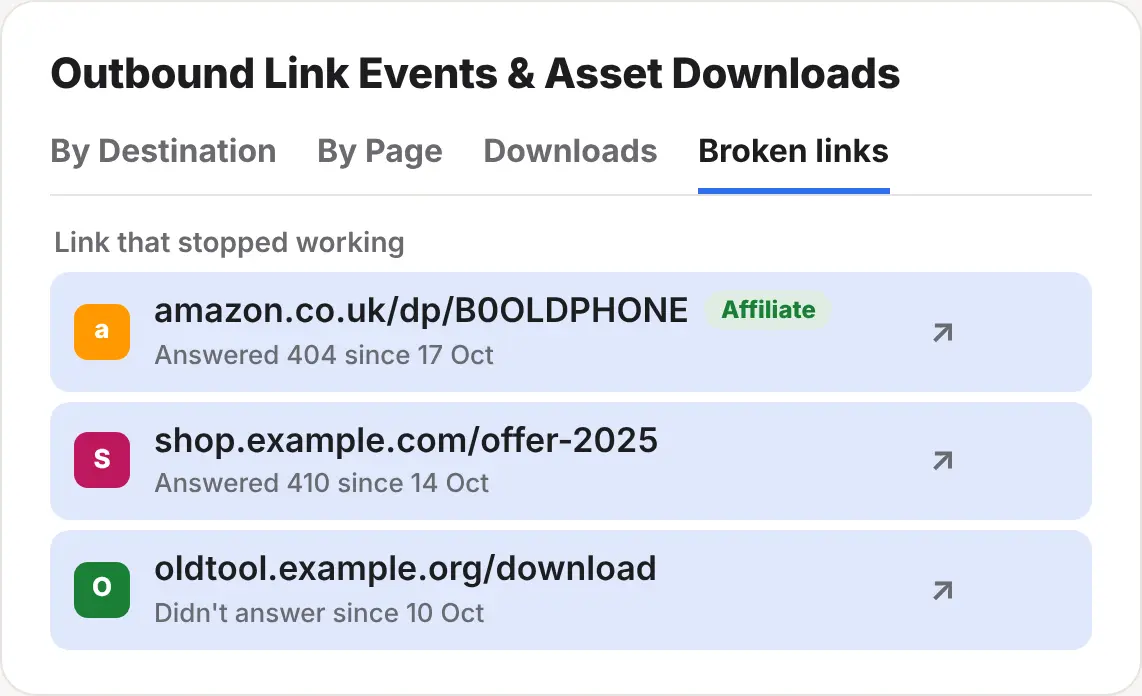
- If it fails two checks in a row, it shows under Broken links on the Outbound Link Events card, with the page it’s on.
- We email you once for each broken link, not every day.
| Answer | Counted as |
|---|---|
| No answer within 8 seconds | Broken |
| 404 Not Found or 410 Gone | Broken |
| 500 and above (server errors) | Broken |
| 401, 403 or 429 (the website turned the checker away) | Not broken: shops that block checkers get the benefit of the doubt |
Affiliate links are marked, so you can fix the ones that earn first. A dead Amazon product page or an expired offer is often the cause.
Pictures, files and script errors
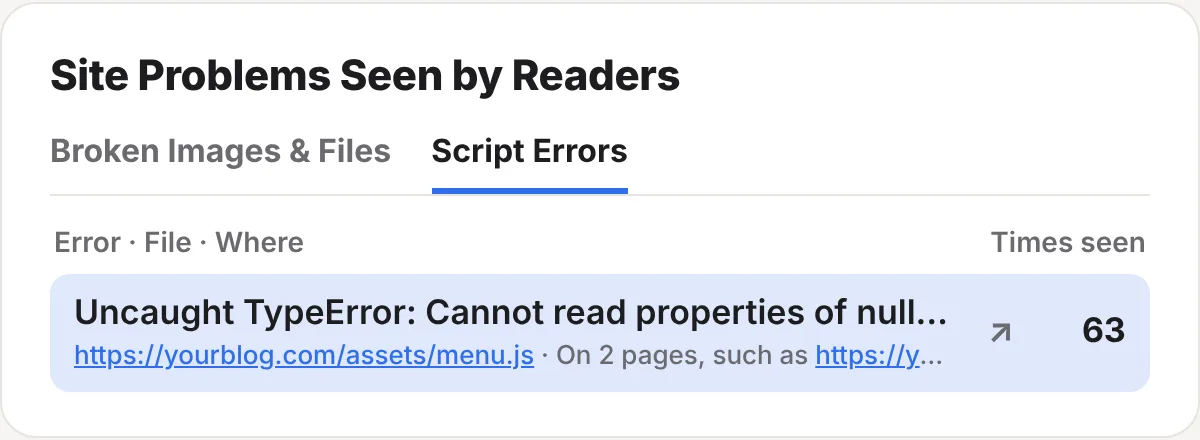
When a picture or file fails to load in a reader’s browser, or a script on the page breaks, the ReaderCount script notes it as the reader leaves. The Site Problems Seen by Readers card lists them, busiest first.
| Tab | What it shows |
|---|---|
| Broken Images & Files | Each picture or file that didn’t load, the page it’s on, the browsers affected and how many readers saw it. |
| Script Errors | The error, the file it came from, the page and how many times it was seen. |
What’s left out, so you only see real faults
- Other companies’ tracking and ad scripts. Ad blockers stop those on purpose, so a failed load isn’t a fault on your website.
- Readers who left within 3 seconds, before pictures had a chance to load.
- Pages where no picture loaded at all, which usually means the reader’s connection dropped.
Error messages are cleaned before they’re kept: email addresses, long numbers and anything after a ? in an address are removed.
Missing pages
When a reader lands on a page that says “404” or “not found”, ReaderCount lists the address they tried in the Missing Page Report, with how often it happened and where they came from.
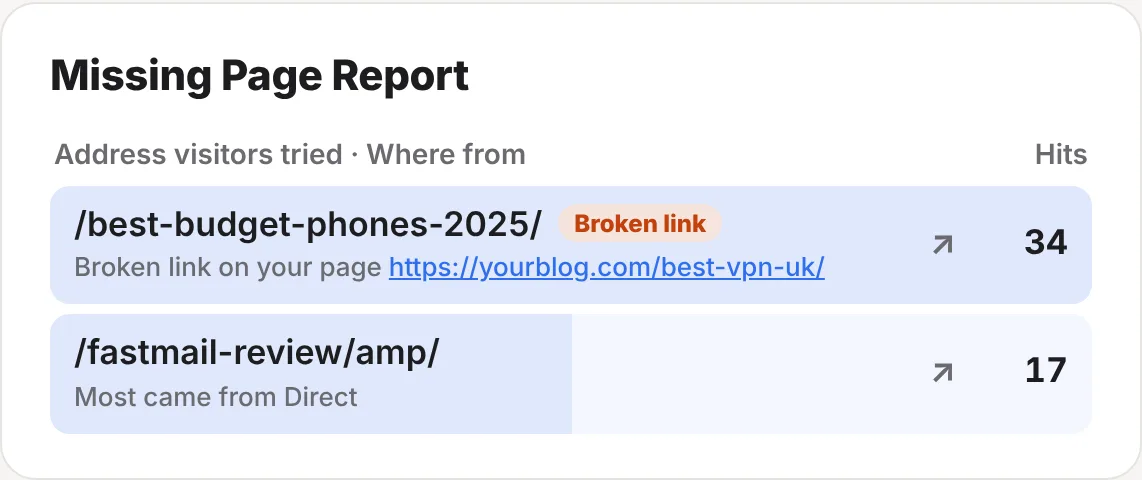
- Broken link on your page: when readers followed a link on your own website, the report names that page and adds a Broken link tag. Edit that page and fix the link.
- From another website or Google: add a redirect from the old address to the right page, so those readers land somewhere useful.
Missing pages are spotted from the page’s title, so it works on almost any platform. If your “not found” page says something else, add this line to it:
<meta name="readercount" content="404">In Site Health
The worst of these also show in the Site Health card at the top of your stats page:
- Broken links on your own pages: Requires fix
- Pictures or files that didn’t load: Needs attention, then Requires fix once seen 20 times
- Script errors and outbound links that stopped working: Needs attention
- Missing pages with 10 or more visits: Needs attention
The fine detail
| Per page view | Up to 3 problems are noted for each page view. |
| Monthly allowance | Problem and form reports: 20,000 a month on Solo, 200,000 on Business. If you reach it, your stats page says so and visitors are still counted. |
| Privacy | Nothing about the reader is kept: just the address that failed, the page, the browser name and a count. |
| Public stats page | Never shown on your public stats page. |
| Plans | Included on every plan and in the 30-day trial. See plans and prices. |
Questions
Does ReaderCount crawl my website?
No. Pictures, script errors and missing pages are reported by your readers’ browsers as they read. The only thing we open ourselves is the outbound links readers clicked, once a day, and your home page for site-down alerts.
Why isn’t a broken link showing yet?
A link has to fail two daily checks in a row, so a brief outage doesn’t set it off. It also has to have been clicked in the last 30 days.
A shop blocks bots. Will its links look broken?
No. If a website turns the checker away with 401, 403 or 429, we treat the link as working.
Why do I see errors from scripts I didn’t write?
Plugins, embeds and widgets run their own scripts on your pages, and a fault in them still breaks things for your readers. Trackers and ad scripts are left out.
My 404 page doesn’t say 404. Will it still work?
Add <meta name="readercount" content="404"> to it and it will.
Still have a question? Get in touch and we’ll help.