
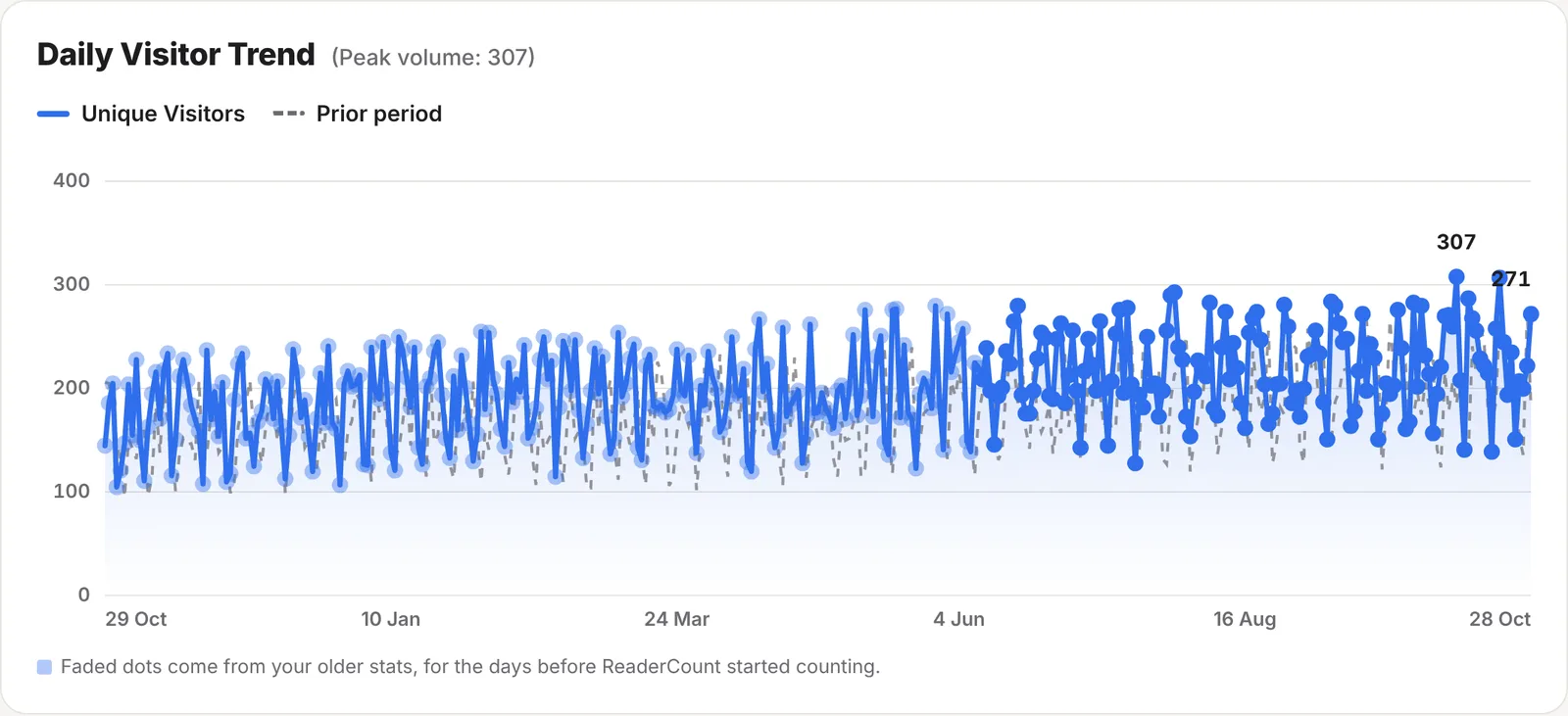
What you get
- Your older visitors and page views from Google Analytics, Plausible, Fathom, Matomo and others
- Up to 20 years of days
- Never counted twice: only days before ReaderCount started counting are filled in
- Faded dots and bars, so you can always see which days are imported
- Notes on the chart, such as “Posted on Reddit”, to explain a change later
Export from Google Analytics
- In Google Analytics (GA4), open Explore and create a Blank exploration.
- Under Dimensions, add Date. Under Metrics, add Total users and Views.
- Drag Date to Rows, and both metrics to Values.
- Choose your dates, as far back as you like, and export it as CSV.
Moving from another tool? Export its visitors per day as CSV. Any file with a date column and a visitors or users column works, with page views if it has them. Our guides for Google Analytics, Plausible and Fathom cover the whole move.
Import the file
- Open Settings on your stats page and find Historical Data Import. Click Manage.
- Choose your CSV file and click Import CSV dataset.
- Your stats page opens on 12 months, with your older days on the chart.
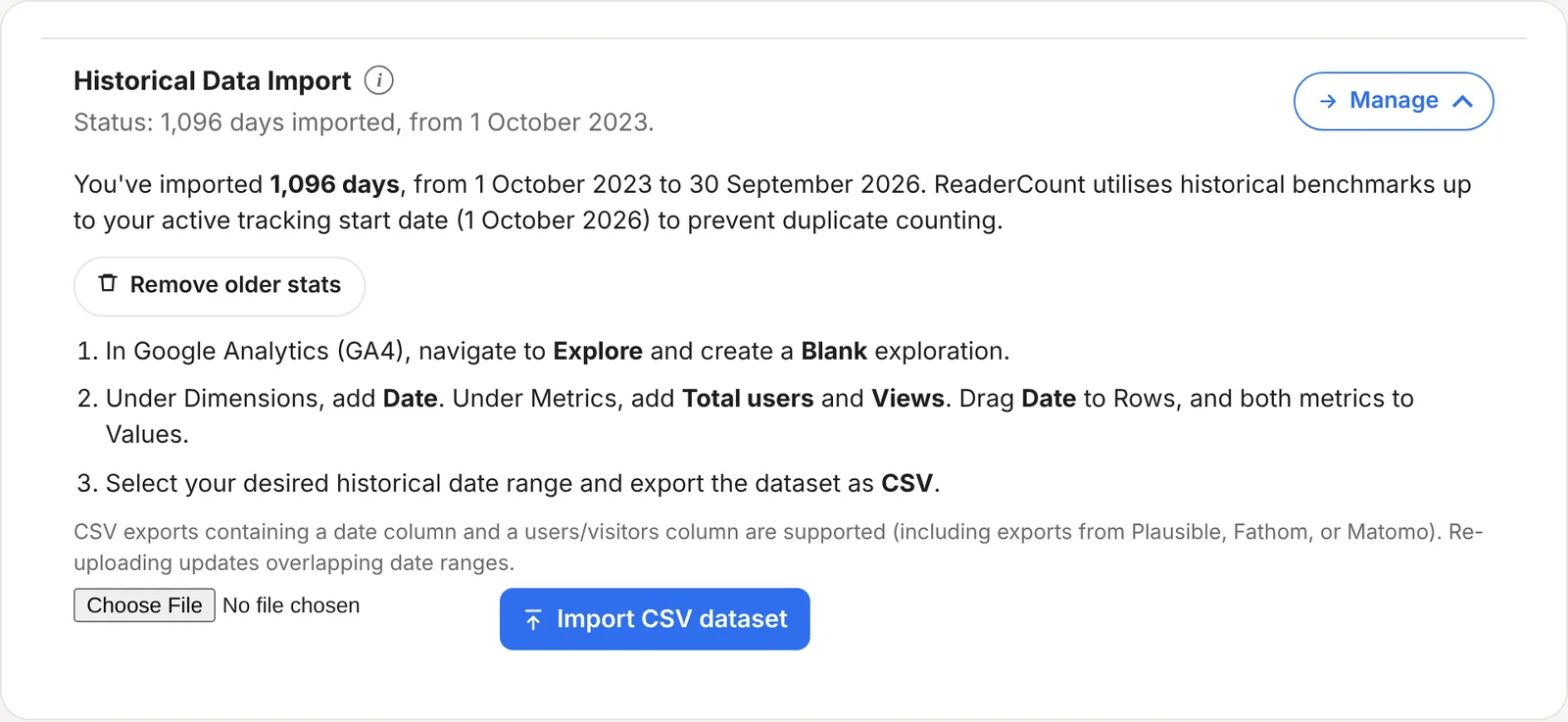
Uploading again updates the days that overlap, so you can add an earlier year later. Remove older stats deletes everything you imported.
On your chart
- Imported days are faded, so they’re easy to tell from days ReaderCount counted.
- Nothing is counted twice. Only days before ReaderCount’s first visit are filled in, even if your file goes further.
- Totals include them, so a 12-month view shows a full year and the change against the period before makes sense from day one.
- When you filter by a source, page or country, imported days aren’t shown, because the file only has totals for each day.
Different tools count differently. Google Analytics usually only counts readers who accept cookies, so its numbers are often lower than ReaderCount’s. Expect a step up on the day you switched. See why numbers differ.
Notes on the chart
A spike is obvious today and a mystery in six months. Pin a note to the day it happened:
- Click Add timeline annotation under the chart.
- Choose the day and type what happened, such as “Published on Reddit” or “Updated headline”.
- A line marks that day on the chart. Point at it to read the note, and the notes for the dates on screen are listed under the chart.
If you’ve connected Ghost, the days you published posts are marked on the chart for you.
The fine detail
| File size | CSV files up to 5 MB. |
| How far back | Up to 20 years of days. |
| Columns | A date column, and a column called users or visitors (such as Total users). Page views are read from a views column if there is one. |
| Notes | Up to 140 characters each and 1,000 for each website. Never shown on your public stats page. |
| Public stats page | Imported days show on the chart there too, and in the media kit. |
| Plans | Included on every plan and in the 30-day trial. See plans and prices. |
Questions
Will imported days be counted twice?
No. Only days before ReaderCount started counting are filled in.
Can I import my pages and sources too?
No, only visitors and page views for each day. That’s what keeps your chart going without mixing two tools’ figures in your detailed reports.
My file has extra columns. Does that matter?
No. ReaderCount finds the date, visitors and views columns and ignores the rest.
Can I remove an import?
Yes. Remove older stats in Settings › Historical Data Import deletes everything you imported.
Who can see my notes?
Only you, on your own stats page.
Still have a question? Get in touch and we’ll help.