
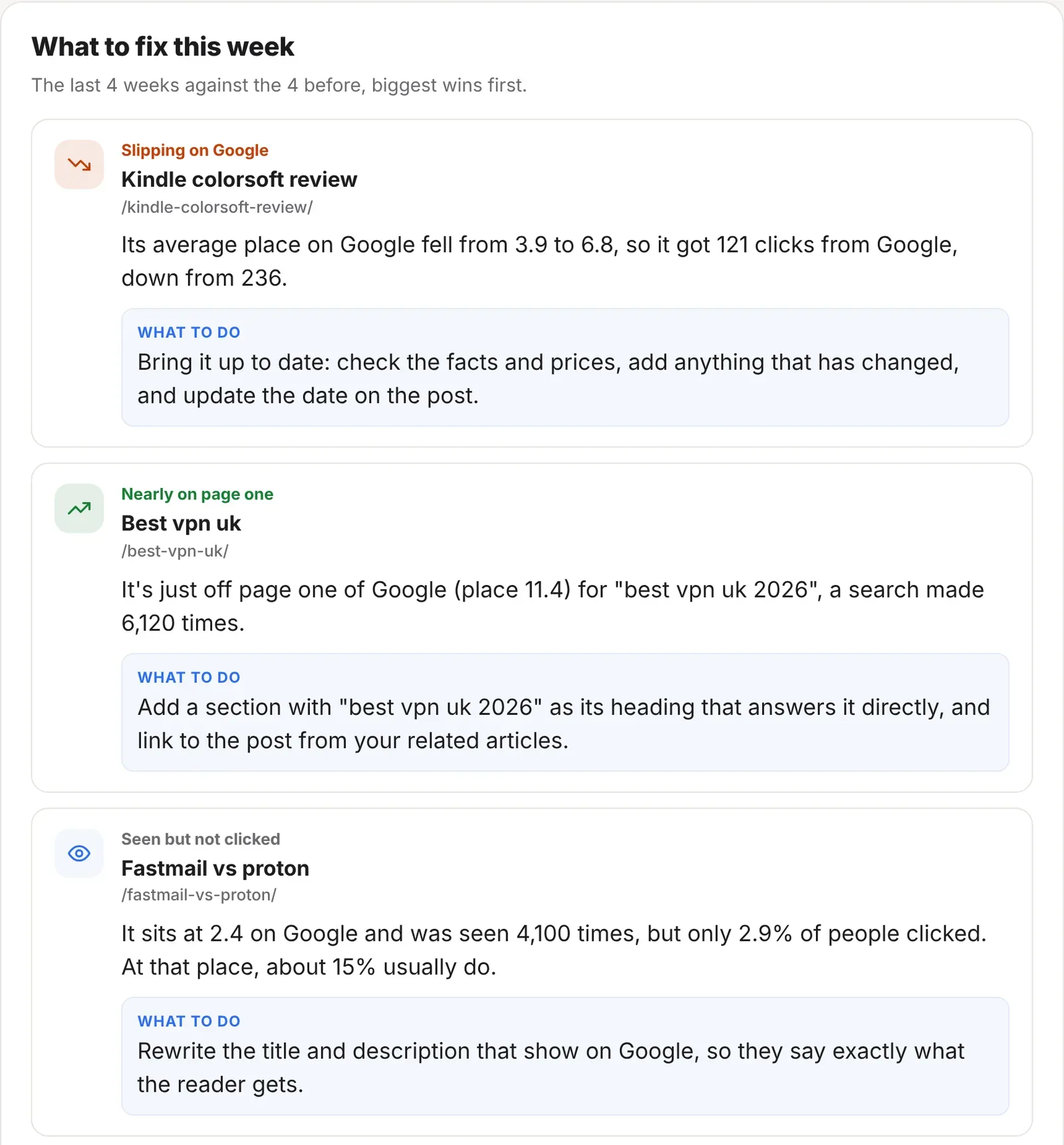
What you get
- Up to six posts to work on, biggest wins first
- What’s changed, in a sentence, with the figures
- What to do, in a sentence you can act on
- Five kinds of fix: slipping on Google, seen but not clicked, nearly on page one, losing visitors and high bounce
- At the top of your stats page, and in the Monday email
The five kinds of fix
| Fix | When it shows | What to do |
|---|---|---|
| Slipping on Google | A post that was in Google’s top 20, with at least 50 impressions, has dropped two or more places on average. | Bring it up to date: check the facts and prices, add anything that has changed, and update the date. |
| Seen but not clicked | A post in the top five or so, seen at least 200 times, gets under half the clicks that place usually gets. | Rewrite the title and description that show on Google, so they say exactly what the reader gets. |
| Nearly on page one | A search made at least 100 times where your post sits between places 8 and 20. | Add a section with that search as its heading that answers it directly, and link to the post from related posts. |
| Losing visitors | A post that had at least 30 visitors has lost 30% or more of them. | Check which sources sent fewer readers, then bring the post up to date and share it again. |
| High bounce | Most people who land on the post leave without opening another page. See below. | Depends on the likely reason. |
The first three need Search Console connected. Losing visitors and high bounce work from your ReaderCount stats alone.
Why people leave straight away
A post shows as high bounce when at least 50 people landed on it, 70% or more left without opening another page, and that’s at least 10 points worse than the rest of your website. ReaderCount then looks for the likeliest reason, in this order:
| Likely reason | How it’s spotted | What to do |
|---|---|---|
| Slow on phones | The main content takes over 4 seconds to appear on phones. | Make the first picture smaller, cut scripts and adverts near the top, and check Page Speed again in a week. |
| Something’s broken | Readers’ browsers reported 5 or more problems on the page. | Open Site Problems and fix what’s broken on this page. |
| Worse on phones | Phone readers leave at least 20 points more often than computer readers. | Open it on a phone: check the text is readable without zooming, pop-ups don’t cover it, and buttons are easy to tap. |
| Worse from one source | Readers from one source leave at least 15 points more often. | Check what that source promises about the page, and make the opening match it, or point the link at a better page. |
| Not scrolling | Most who leave don’t get past the first third of the page. | Answer the question in the first few lines and cut a long introduction. |
| Got their answer | Most who leave read to the end first. | Give them somewhere to go next: link two or three related posts at the end, and add a clear next step. |
If none of these fit, it says nothing looks broken or slow, and suggests checking that the title and opening match what people searched for.
How the list is chosen
- The last four weeks against the four before, so one quiet day doesn’t set it off.
- One of each kind first, so you see a mix rather than six of the same.
- Then the biggest wins: the posts where fixing it would win back the most clicks or readers.
- Each post once, so the list covers as many posts as it can.
- Google’s figures are a few days behind, so its four weeks end when Google’s figures do.
Tip: pick one fix a week and do it properly. The card changes as your posts recover, so next week you’ll see what worked.
The fine detail
| Where it shows | At the top of your stats page, and in the Monday email for each website. |
| Earnings | Posts that earn well but are slipping also show under Worth Updating in Earnings Insights. |
| Public stats page | Never shown on your public stats page. |
| Plans | Included on every plan and in the 30-day trial. See plans and prices. |
Questions
Why is the list empty?
Nothing has slipped enough to be worth your time, or there isn’t four weeks of history yet. Connect Search Console for the Google fixes.
Do I need Search Console?
For the three Google fixes, yes. Losing visitors and high bounce work without it.
What does bounce mean here?
Someone who landed on the post and left without opening another page on your website that day.
Can I hide a fix I’ve already done?
It drops off by itself once the post recovers, as each week is compared with the four weeks before.
Does it change my website?
No. It only suggests what to do. You decide what to change.
Still have a question? Get in touch and we’ll help.