
What you get
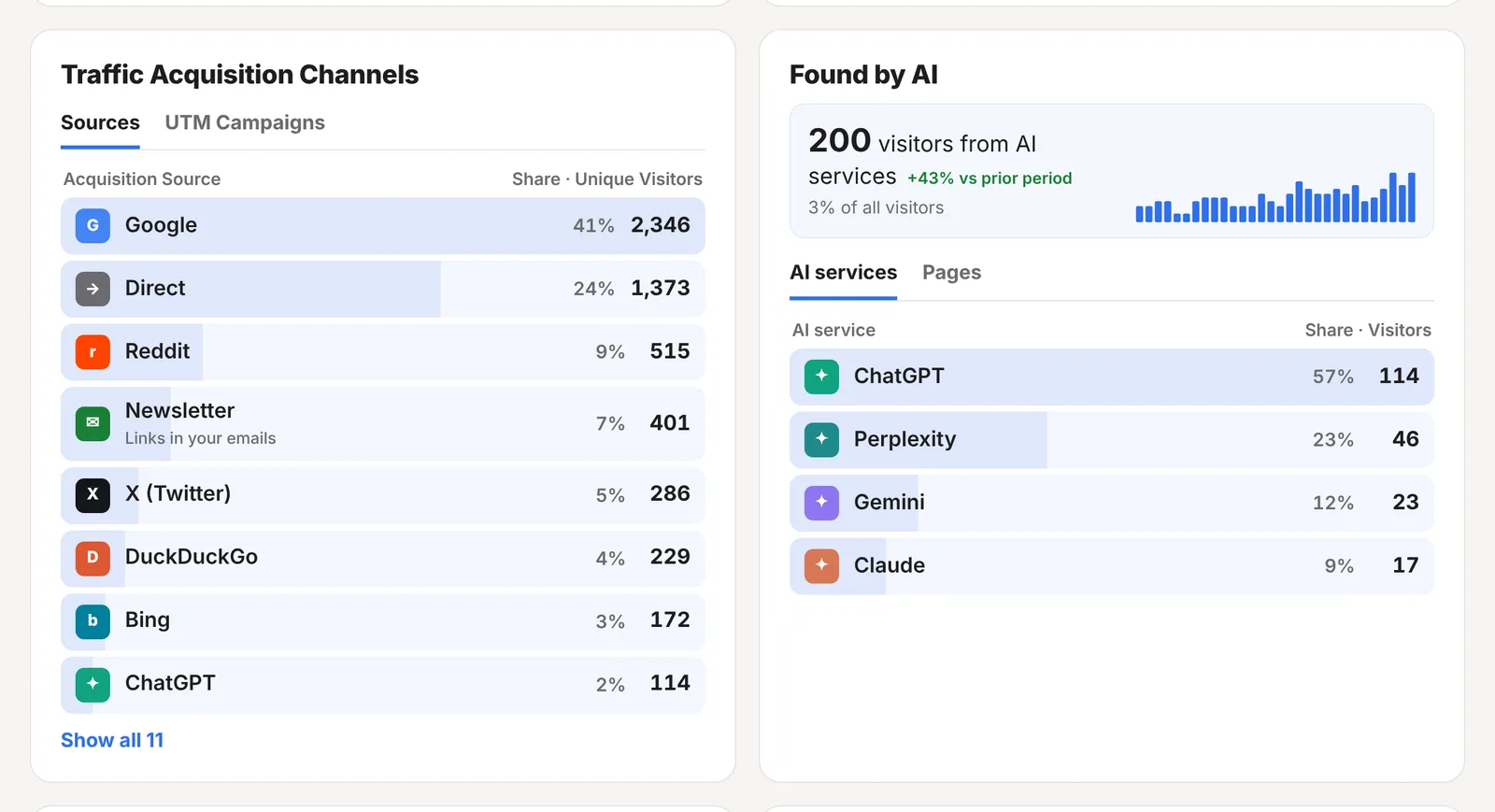
Every visit that starts on another website, app or email carries a clue about where it came from. ReaderCount reads that clue, turns it into a name you recognise and adds it to the Traffic Acquisition Channels card on your stats page.
- Sources named in plain English: Google, Bing, DuckDuckGo, Reddit, X (Twitter), Facebook, LinkedIn, Bluesky, Pinterest, YouTube and more, each with its own icon
- AI tools counted separately: ChatGPT, Perplexity, Claude, Gemini, Copilot and others, with their own Found by AI card
- Newsletter visits shown as Newsletter, with “Links in your emails” underneath
- Campaigns with no setup: tag a link and it gets its own row
- Every other website by name, such as the blog or forum that linked to you
- One click to filter your whole stats page to a single source
The sources card
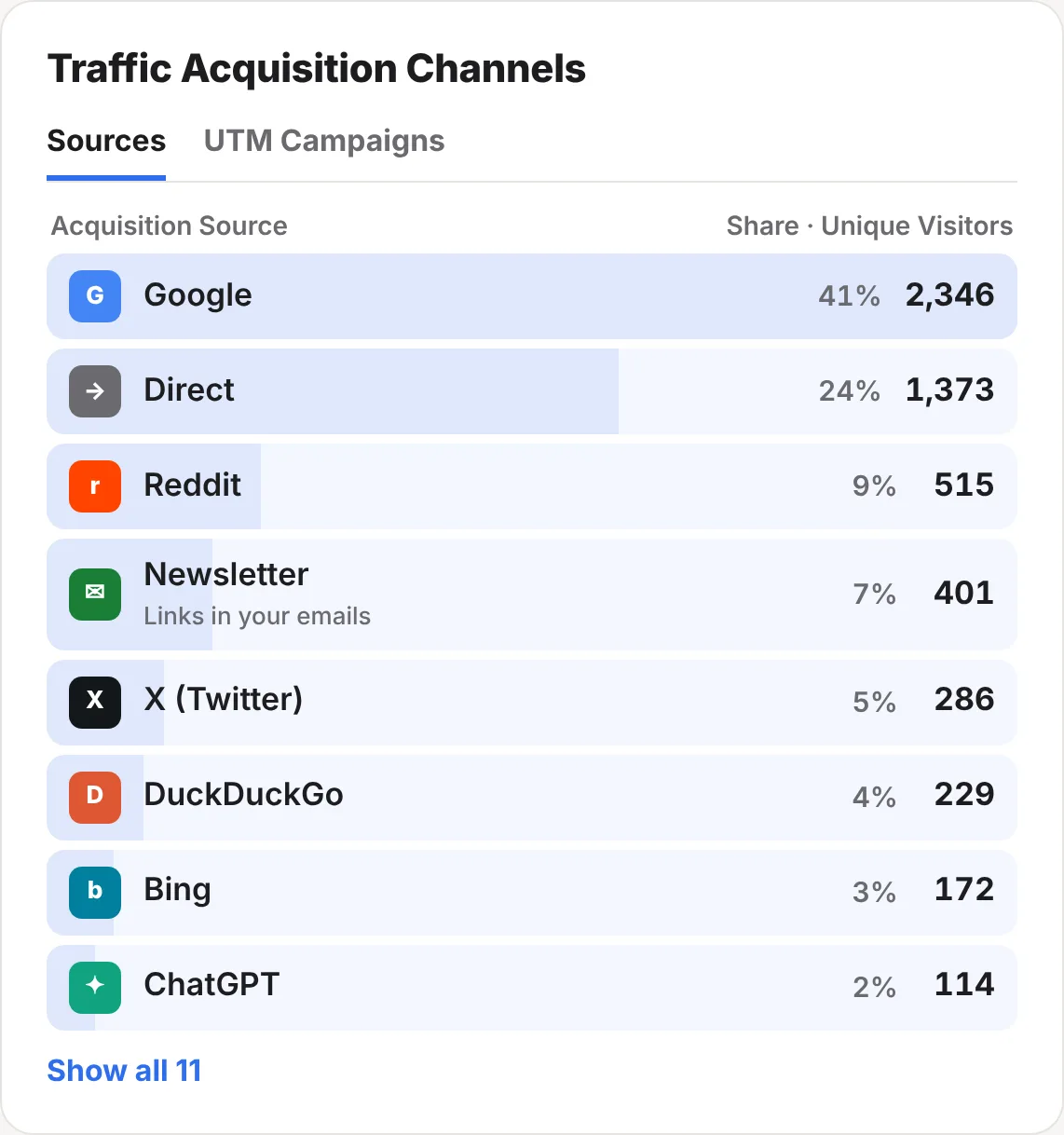
Each row is one source, with the share of your visitors it sent and the number of unique visitors. The bar behind each row shows its size at a glance. The biggest sources come first, and Show all opens the rest.
Someone who finds you on Google in the morning and comes back from your newsletter in the evening is counted under both sources.
Filter everything by one source
Click any source and your whole stats page filters to it: the chart, your top pages, countries, devices, goals and clicks all show only the readers from that source. It’s the quickest way to answer questions like “which posts do Reddit readers like?” or “do newsletter readers sign up more than Google readers?”. A chip at the top shows the filter, and you remove it from there.
How sources are named
ReaderCount looks at the address of the page the reader came from and gives it a name:
| Group | Shown as |
|---|---|
| Search engines | Google, Bing, DuckDuckGo, Yahoo, Ecosia, Brave Search, Yandex, Baidu |
| News apps | Google News, Flipboard |
| Social networks | Facebook, Instagram, X (Twitter), LinkedIn, Reddit, Hacker News, YouTube, Pinterest, Threads, Bluesky, Mastodon |
| AI tools | ChatGPT, Perplexity, Claude, Gemini, Copilot, DeepSeek, Meta AI, Grok, Le Chat (Mistral), Duck.ai, You.com, Phind |
| Other websites | Their own address, such as example.com, without the www |
| Direct | No clue at all: the address was typed, a bookmark was used, or the app or browser didn’t say |
Google in every country (google.co.uk, google.de and so on) adds up to one Google. Links from one page of your own website to another are never counted as a source, and neither are links from your own subdomains, such as shop.yourblog.com.
Count your newsletter readers
Most email programs and apps don’t say where a click came from, so newsletter readers often land in Direct. Tag the links in your newsletter and they get a row of their own.
- Add
?utm_source=newsletterto the end of each link to your own website in your newsletter. If the link already has a?in it, use&instead. - Send the newsletter as usual.
- Open your stats page. Readers from those links show as Newsletter, with “Links in your emails” underneath.
https://yourblog.com/best-budget-phones/?utm_source=newsletterTip: many newsletter services can add tags like this to every link for you. Look for a setting called link tracking, UTM tags or Google Analytics tracking in your newsletter service, and set the source to newsletter.
The tag is only read when the page loads. It doesn’t follow the reader anywhere, and ReaderCount never stores who clicked.
Track campaigns
To compare one newsletter, social post or advert with another, add a campaign name as well. There’s nothing to set up in ReaderCount first: any tagged link shows up by itself.
https://yourblog.com/review/?utm_source=newsletter&utm_campaign=october| Tag | What it does |
|---|---|
utm_source | Names the source, such as newsletter, facebook-ads or podcast. It’s used instead of the address the reader came from. Lower-case names are shown with a capital letter. |
utm_campaign | Names the campaign. Each one gets a row on the UTM Campaigns tab, with its visitors and share. |
utm_medium | The kind of link, such as email or social. ReaderCount keeps it with each visit. |
ref | A short alternative to utm_source that some websites and directories add, such as ?ref=producthunt. |
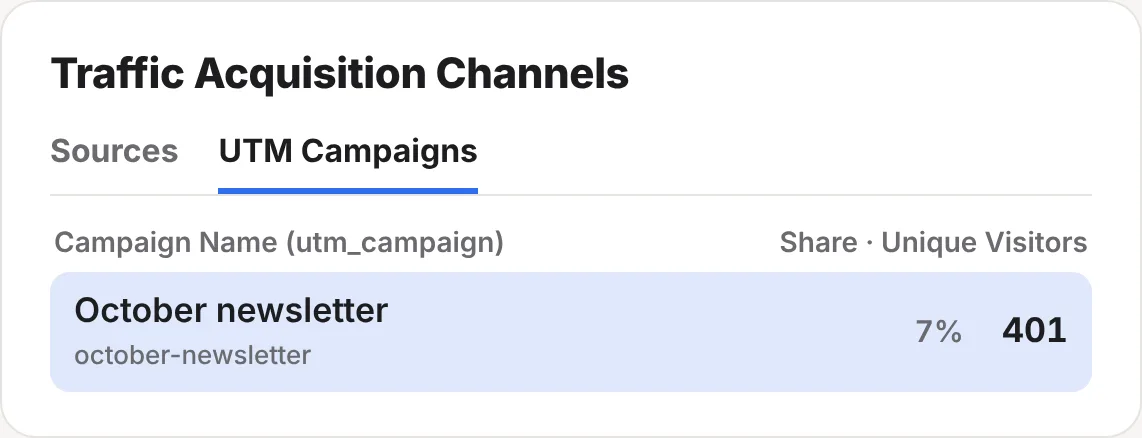
Name a campaign after a post, such as utm_campaign=best-budget-phones, and the campaign shows as “Best budget phones”, with the tag underneath.
Why some visits show as Direct
Direct means the reader’s browser didn’t say where they came from. It’s usually one of these:
- They typed your address, or used a bookmark or a link saved on their home screen.
- They tapped a link in an app that doesn’t pass on where it came from, such as many email programs, chat apps and some social apps.
- They came from a page that asks browsers not to say where visitors go next.
Direct is normal, and a large share usually means you have loyal readers who come back on their own. To move tagged traffic out of Direct, add utm_source to the links you control, as shown above.
Countries, devices and browsers
Next to your sources, the Audience Distribution card shows where your readers are and what they read on.
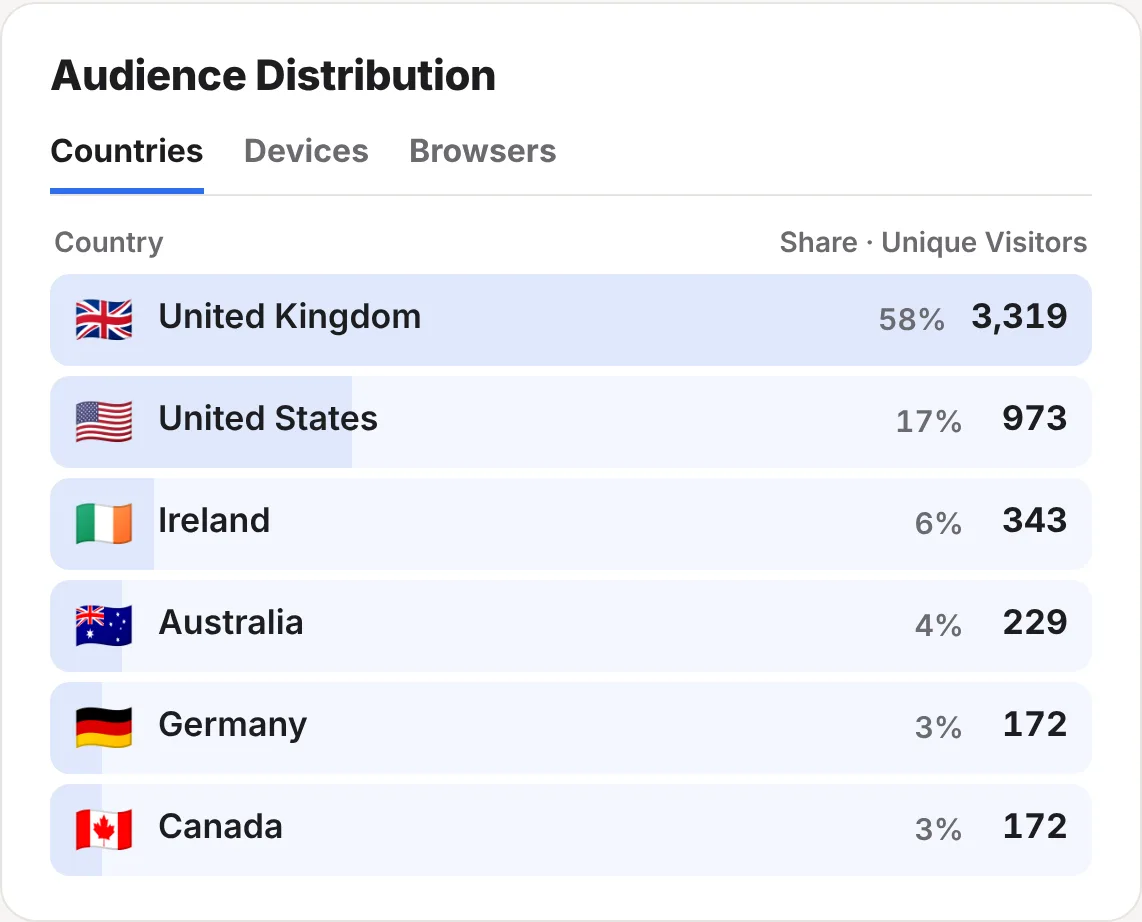
- Countries, with a flag for each. The country is worked out when the visit arrives, and the reader’s internet address is never stored.
- Devices: phone, tablet or computer.
- Browsers, such as Chrome, Safari, Firefox, Edge and Samsung Internet.
These filter your stats page in the same way as sources, and the filters combine. Click Reddit, then phone, to see what Reddit readers on phones read.
The fine detail
| Tags win | When a link has utm_source or ref, that name is used instead of the address the reader came from. |
| ChatGPT’s own tags | ChatGPT adds utm_source=chatgpt.com to some links. Those count as ChatGPT, the same as its other visits. |
| Length | Source, medium and campaign names are kept up to 100 characters. |
| Live view | The live view shows where each reader on your site right now came from. |
| Claude and the API | Ask Claude “where did my readers come from this month?” with the Claude connector, or read sources from the REST API. |
| Plans | Included on every plan and in the 30-day trial. See plans and prices. |
Questions
Why are my Google numbers different from Search Console?
Search Console counts clicks on Google’s results. ReaderCount counts the readers who arrived from Google and loaded your page. Some people click and leave before the page loads, and Google leaves some searches out of Search Console. You can see both side by side when you connect Search Console.
Do I need UTM tags?
No. Sources work without them. Tags help when the reader’s app doesn’t say where they came from, such as a newsletter, or when you want to compare one campaign with another.
Will tags on my links affect my Google ranking?
Tags on links in your newsletter, social posts and adverts don’t change your pages. Avoid adding them to links between your own pages, though: ReaderCount would count those visits as coming from the campaign rather than from where the reader first came from.
Does ReaderCount use cookies to work out sources?
No. The source comes from the visit itself and the link’s tags. Nothing is stored on the reader’s device.
Is this included in my plan?
Yes. Sources, campaigns, countries, devices and browsers are part of every ReaderCount plan and the 30-day trial.
Still have a question? Get in touch and we’ll help.