
What you get
| When | Starts | |
|---|---|---|
| Weekly email | Every Monday morning | When you switch it on |
| Monthly review | The 1st of each month | On from day one |
| Traffic spike alerts | When a post takes off, checked every hour | On from day one |
Each one can be switched on or off in Settings, under Email Notification Preferences. For site-down alerts, triggers and money alerts, see their own guides.
The weekly email
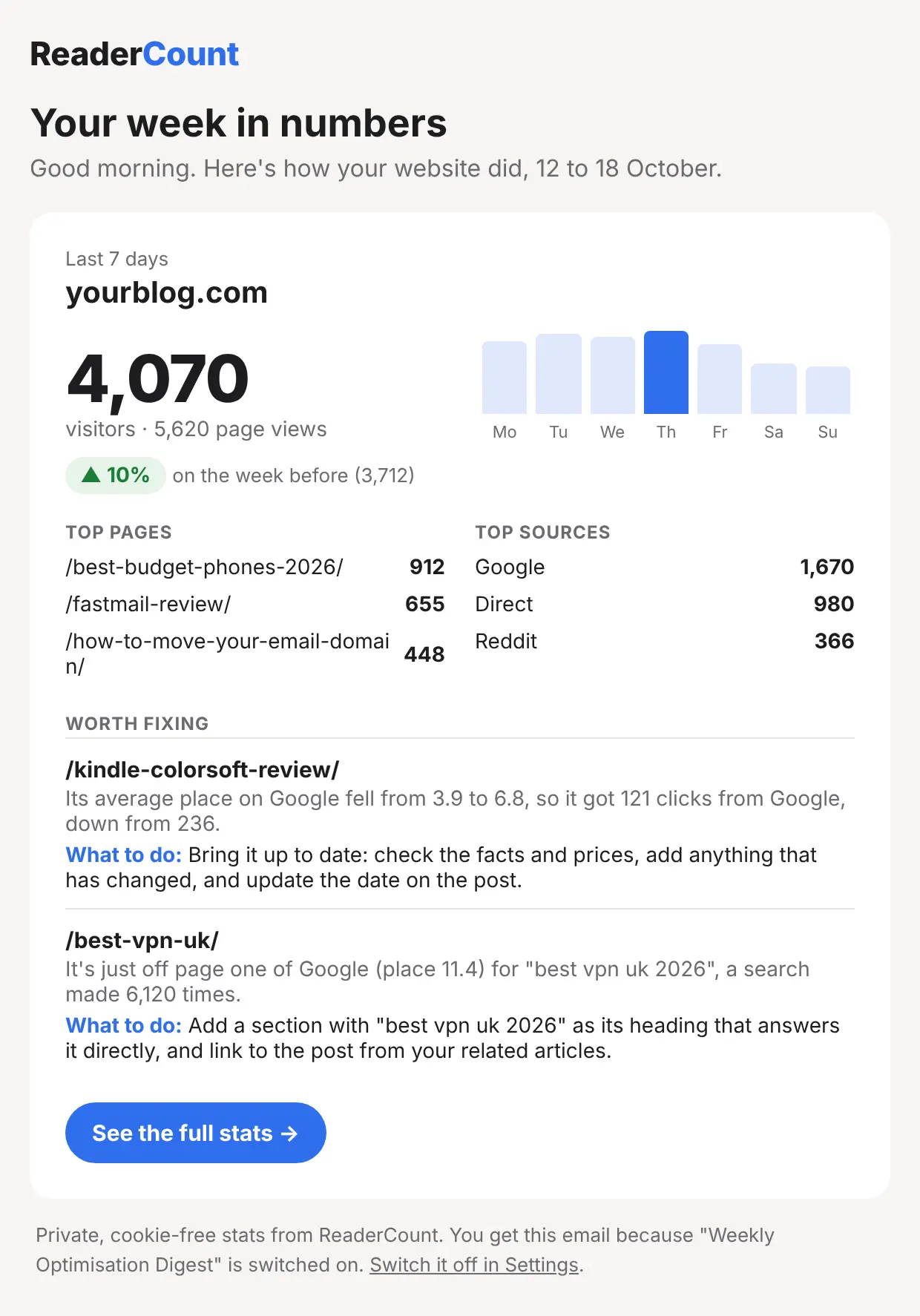
Every Monday at 07:00 UTC, a card for each of your websites with:
- Visitors and page views for the last 7 days, and the change on the week before
- A bar for each day, with the busiest one picked out
- Your top 3 pages and top 3 sources
- Worth fixing: up to five posts from What to fix, each with what to do
- Your week’s earnings and the post that earned most, if you’ve added earnings
If you have more than five websites, the five busiest get a card each and the rest get a line with a link.
To switch it on, open Settings on your stats page, find Email Notification Preferences and tick Weekly Optimisation Digest. The first one arrives the next Monday.
The monthly review
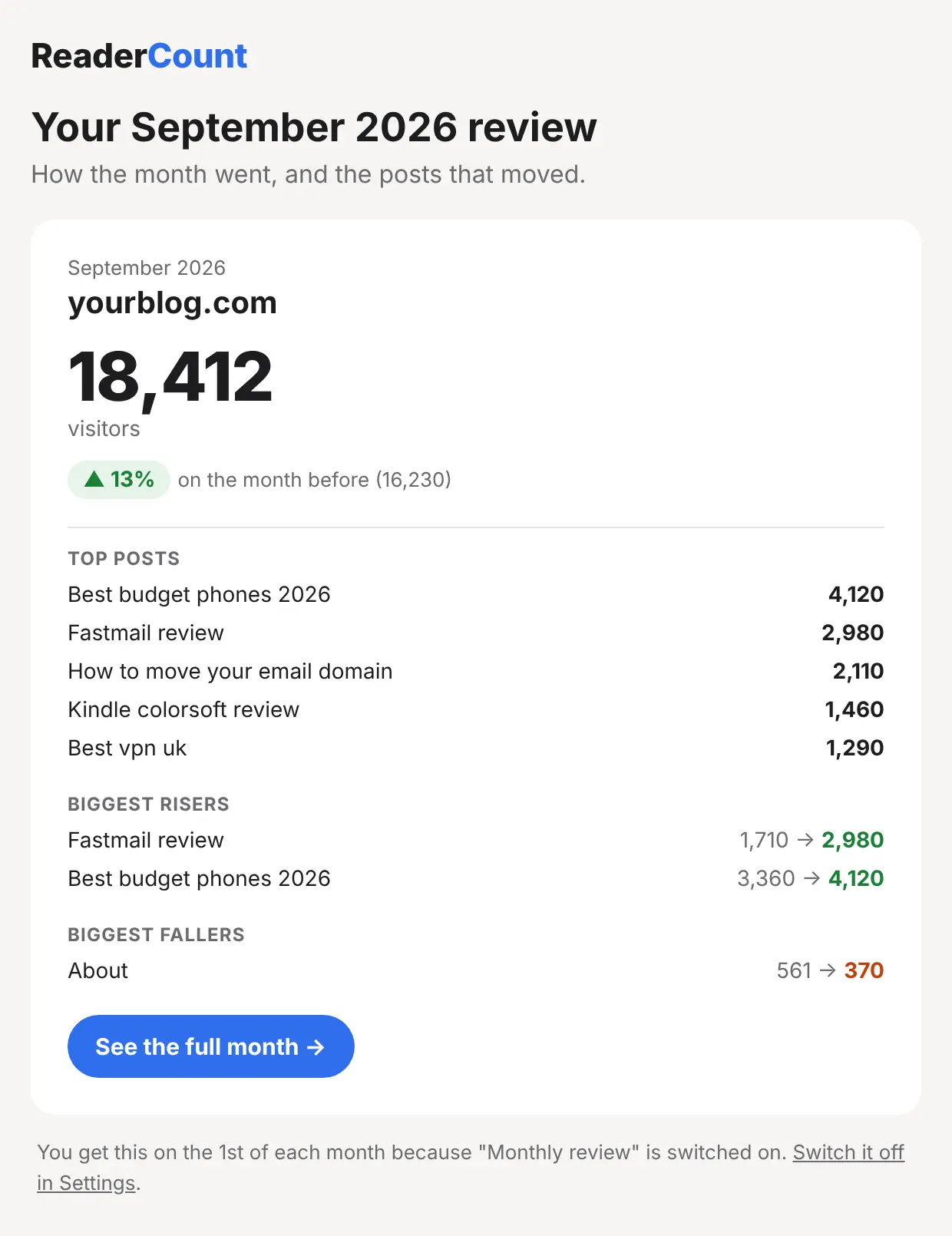
On the 1st of each month at 07:00 UTC, an email with last month for each website:
- Visitors against the month before
- Your top 5 posts
- The 3 biggest risers and the 3 biggest fallers, so you can see what’s growing and what needs attention
Five minutes with a coffee and you know how the month went.
Traffic spike alerts
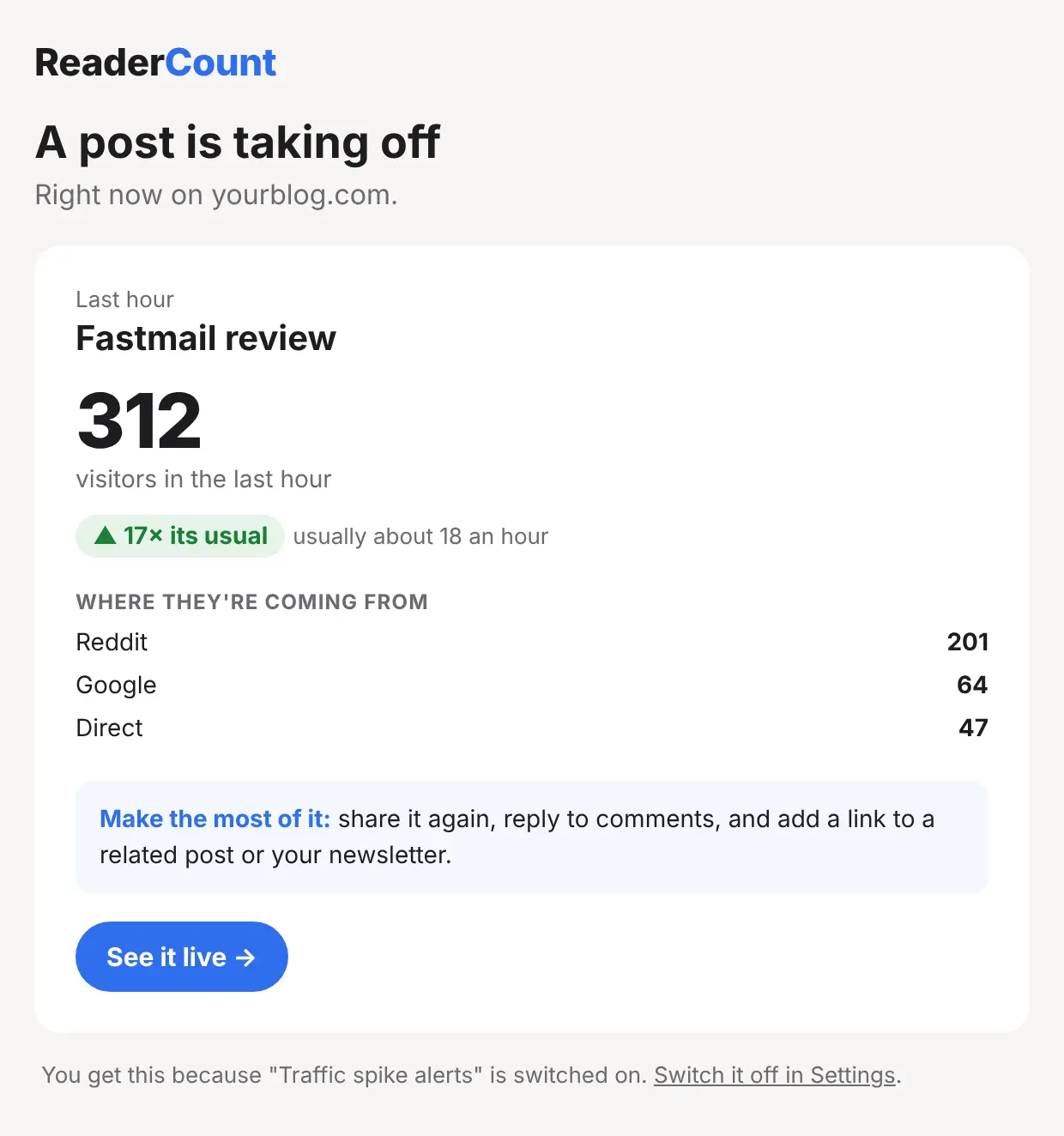
Every hour, ReaderCount looks for pages that suddenly have far more readers than usual. When a page gets at least 25 visitors in an hour, and five times its usual hourly visitors over the last two weeks, we email you with:
- How many people read it in the last hour, and what it usually gets
- Where they’re coming from, such as Reddit, Google or a newsletter
It’s the moment to reply to the thread that’s sharing it, share it again yourself, or add a sign-up box while the crowd is there. You get at most one email per page per day.
The fine detail
| Times | The weekly email and monthly review go out at 07:00 UTC, which is 07:00 in the UK in winter and 08:00 in summer. |
| Who gets them | The email address on your ReaderCount account. |
| Switching off | Each email links to Settings, where you can switch it off under Email Notification Preferences. |
| After your plan ends | These emails stop. |
| Exports | Need it in a spreadsheet instead? Download your stats as CSV, Excel or PDF from your stats page. |
| Plans | Included on every plan and in the 30-day trial. See plans and prices. |
Questions
Why haven’t I had a weekly email?
It’s off until you switch it on, under Email Notification Preferences in Settings. The first one arrives the Monday after.
Can I get it for just one website?
It covers every website on your account, with a card each for the five busiest.
How do I stop spike alerts?
Untick Traffic spike alerts under Email Notification Preferences in Settings.
Will I get lots of spike alerts on a busy day?
No. At most one per page per day, and only for real spikes: 25 visitors in an hour and five times the usual.
Can the emails go to someone else?
They go to the email address on your ReaderCount account. To share your numbers, use a public stats page or download a PDF.
Still have a question? Get in touch and we’ll help.