
What you get
- Every click on a link to another website counted, with no tags to add, grouped by shop and by the post it came from
- Affiliate links marked so you can pick them out at a glance
- Your commissions brought in every night from Awin, Impact, CJ, Rakuten, Partnerize, Skimlinks, Sovrn Commerce and PartnerStack
- Amazon Associates and other networks by uploading their CSV report
- Earnings for each post, and earnings for every 1,000 readers, so a small post that earns well stands out
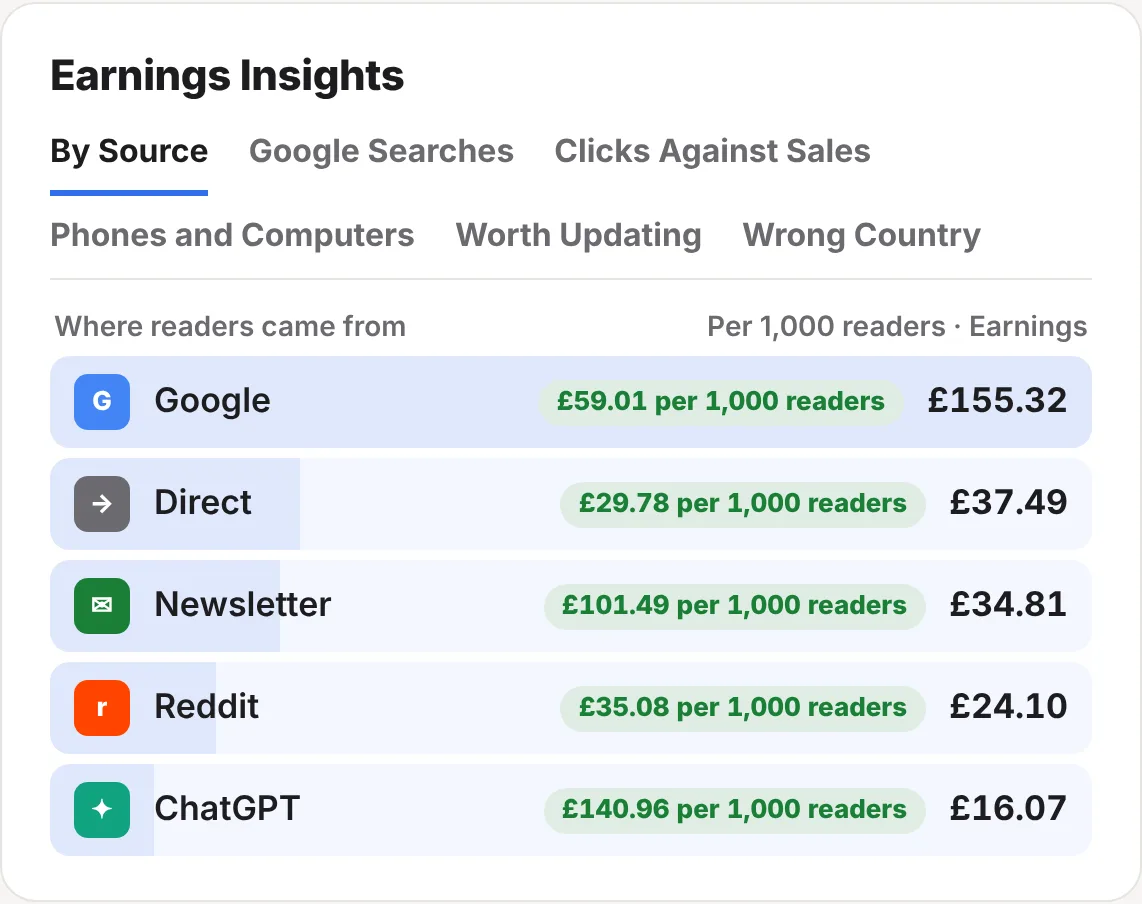
- Earnings Insights: what each source, Google search, shop and device earns, plus posts worth updating
- An email if earnings drop sharply or a shop stops paying
Link clicks, counted for you
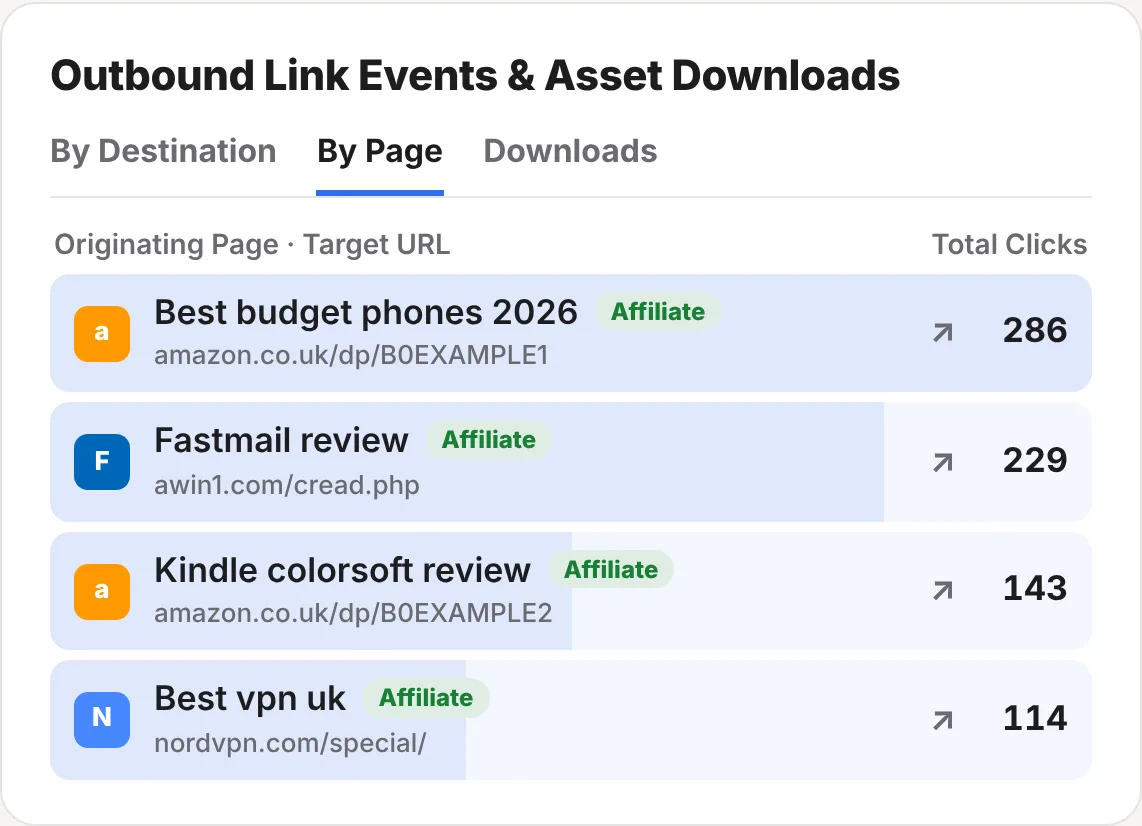
The same small script that counts your readers counts clicks on links to other websites. There’s nothing to tag and nothing to set up. They appear in the Outbound Link Events & Asset Downloads card on your stats page.
| Tab | What it shows |
|---|---|
| By Destination | Clicks grouped by the website they went to, so every Amazon link adds up in one row. |
| By Page | Each post with the link that was clicked on it. |
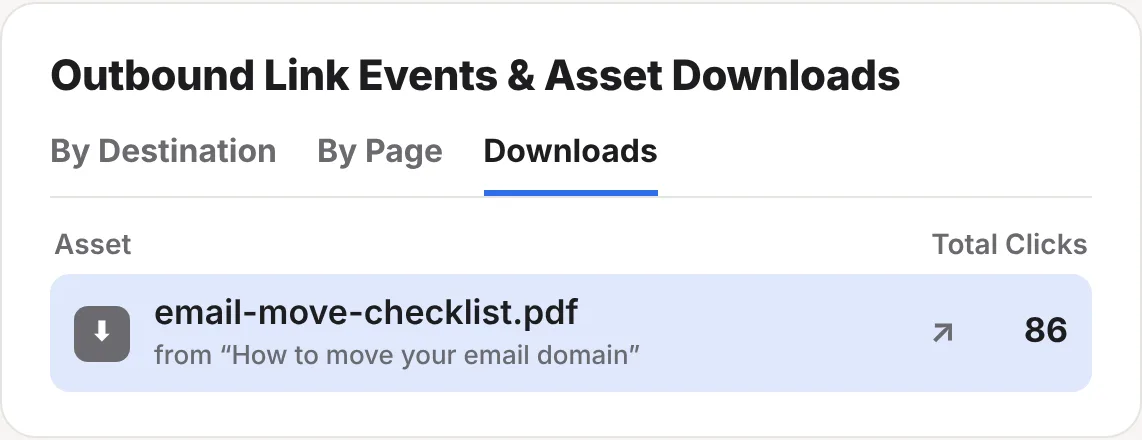
| Downloads | Clicks on files, such as PDFs, e-books and spreadsheets, with the post they were on. |
A link is marked Affiliate when it goes through a known affiliate network, such as Awin, Skimlinks, ShareASale or an Amazon short link, or carries an affiliate tag such as tag=, ref= or clickref=. Click any row and your whole stats page filters to it, so you can see which sources and countries send the readers who click.
Connect an affiliate network
Connect a network once and ReaderCount brings in your commissions every night.
- Open Settings on your stats page and find Earnings per post. Click Manage.
- Choose your network under Connect a network.
- Paste your details, such as your publisher ID and API token. Where to find your details underneath says where each network keeps them.
- Click Connect network. ReaderCount reads your last 30 days straight away, then again every night.
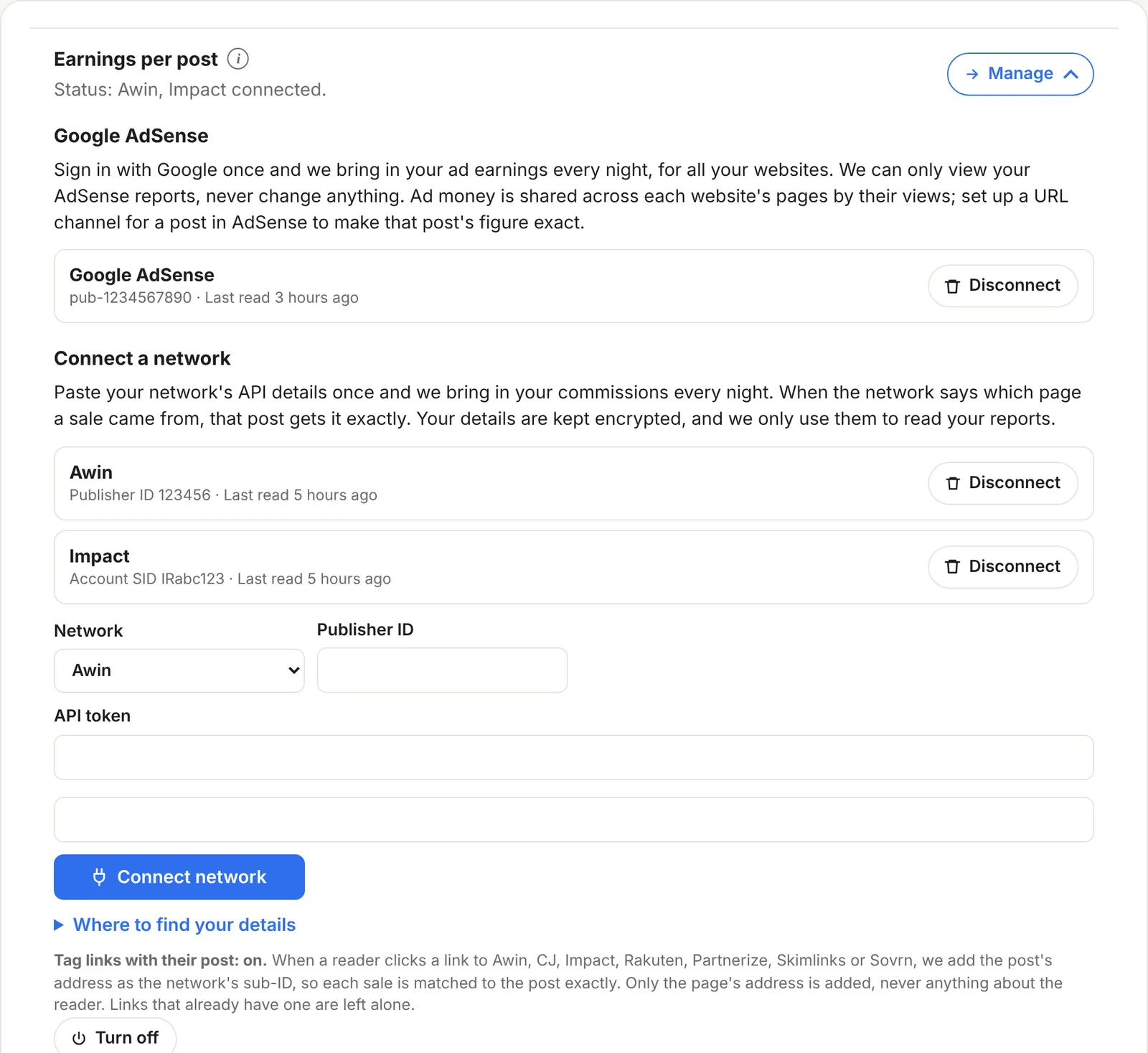
Your details are kept encrypted and are only used to read your reports. ReaderCount can’t change anything in your network account. Disconnect removes the connection at any time.
How each sale finds its post
Networks report sales by link, not by page. So when a reader clicks a link to Awin, CJ, Impact, Rakuten, Partnerize, Skimlinks or Sovrn, ReaderCount adds the post’s address to the link as the network’s own sub-ID. When the sale comes back, it carries the post with it.
| Network | Sub-ID used |
|---|---|
| Awin | clickref |
| CJ | sid |
| Impact | subId1 |
| Rakuten | u1 |
| Partnerize | pubref |
| Skimlinks | xcust |
| Sovrn Commerce | cuid |
- Only the page’s address is added, such as
/best-budget-phones/, never anything about the reader. - Links that already have a sub-ID are left alone, so your own tracking still works.
- It’s on by default. Turn it off under Tag links with their post in Settings.
Sales that come back with a post are counted for that post exactly. Sales without one are shared across your posts by how many clicks each sent to that shop that day.
Amazon and other networks: upload a report
Amazon Associates has no way for other tools to read your earnings, so you upload its report instead. The same works for any network that can download a CSV file.
- In Amazon Associates or your network, open the earnings or commission report.
- Choose your dates and download it as CSV. It needs a date column and an earnings, commission or amount column.
- Upload it under Or upload a report in Settings › Earnings per post. Amazon’s reports don’t name the shop, so type Amazon in the box.
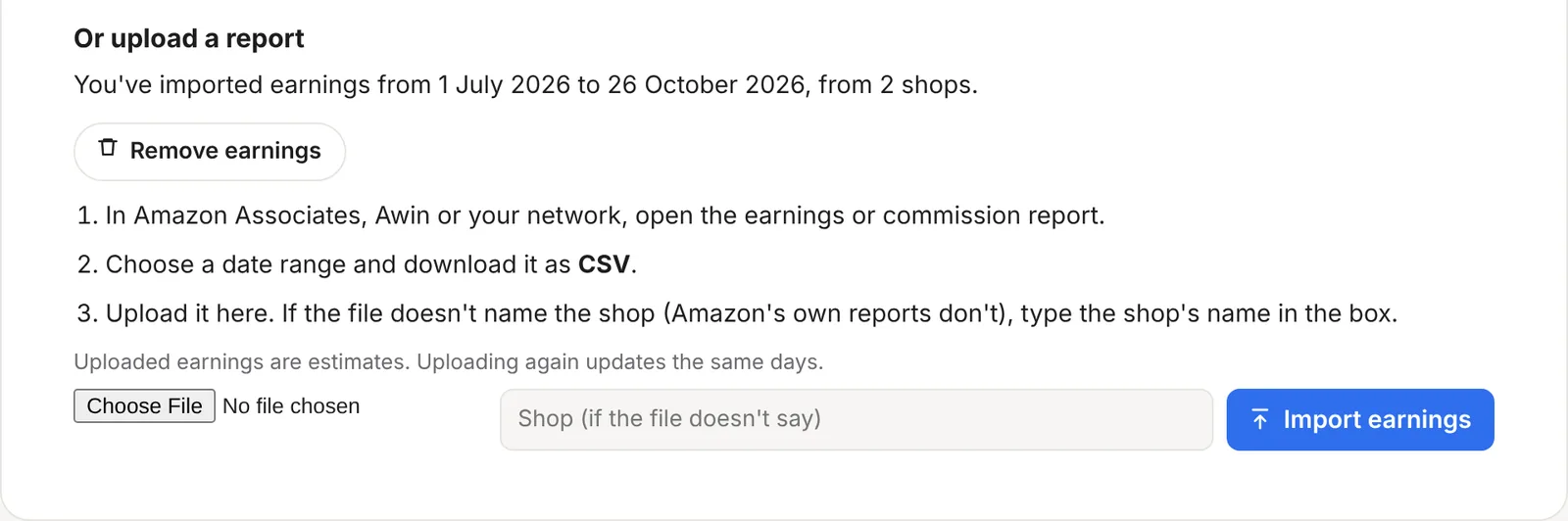
Each day’s earnings are shared across your posts by the clicks each one sent to that shop, so uploaded figures are estimates. Uploading again updates the same days, and Remove earnings deletes them all.
Don’t upload a report from a network you’ve connected, or its sales count twice.
Earnings per post
Once earnings arrive, the Top Performing Landing Pages card gets an Earnings tab.
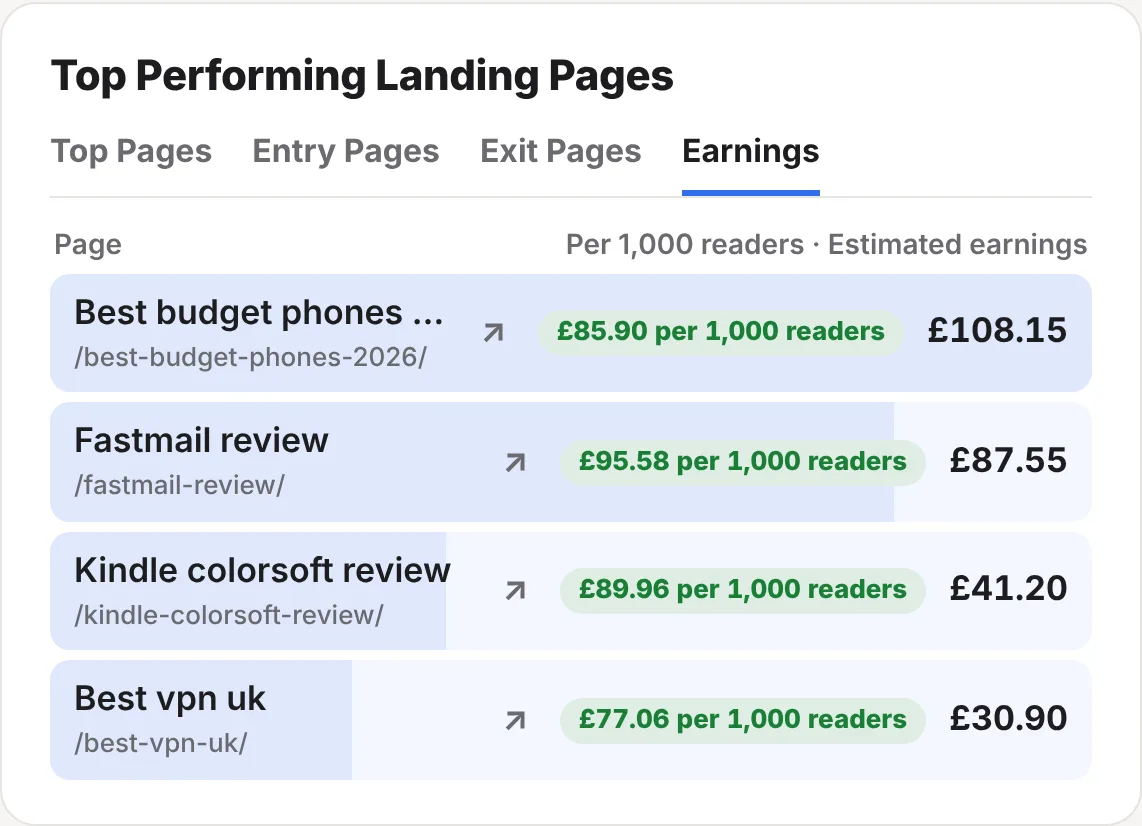
Each post shows what it earned in the dates you chose, and what it earned for every 1,000 readers. That second figure is the one to watch: a post with fewer readers that earns more per 1,000 is often the best one to update, promote or write more like.
Earnings Insights
The Earnings Insights card, under Top Pages, answers the questions that per-post totals can’t.
| Tab | What it tells you |
|---|---|
| By Source | What readers from Google, your newsletter, Reddit, ChatGPT and the rest earn you, in total and per 1,000 readers. |
| Google Searches | The searches that bring readers who buy, with the post each one led to. Needs Search Console connected. |
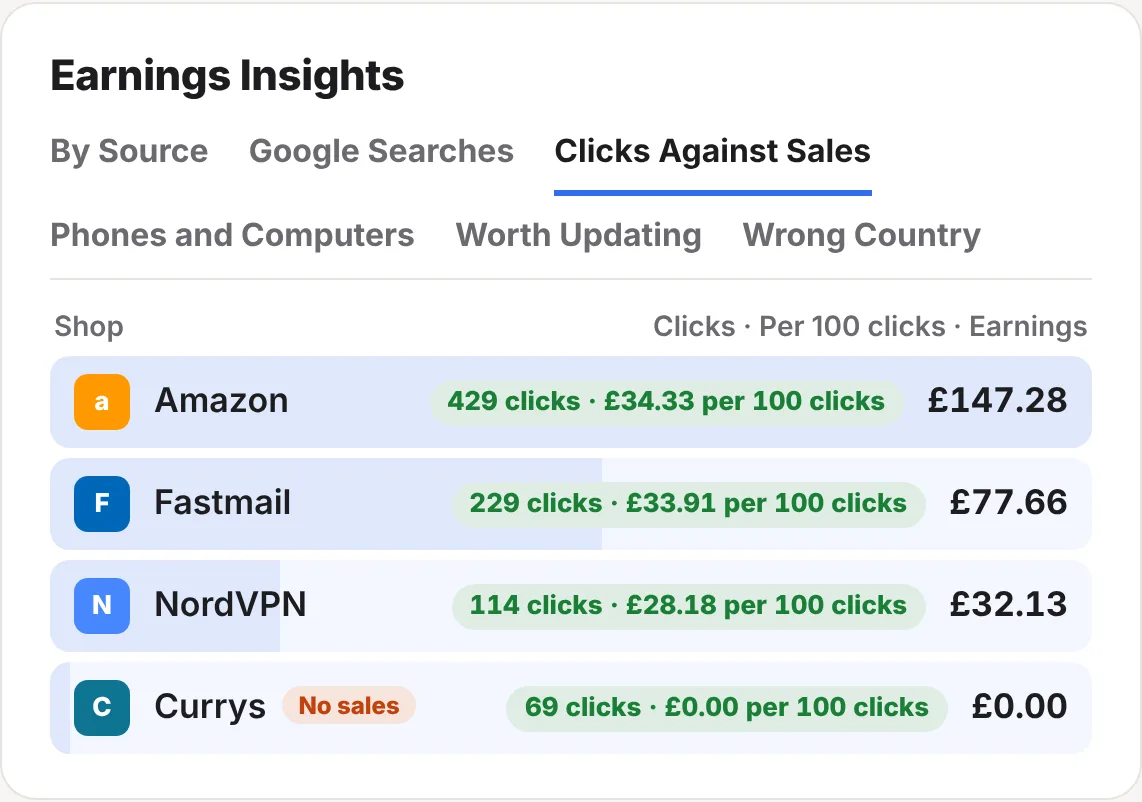
| Clicks Against Sales | Each shop with its clicks and earnings per 100 clicks. A shop with 30 or more clicks but no sales gets a No sales tag. |
| Phones and Computers | Earnings per 100 clicks on each kind of device. |
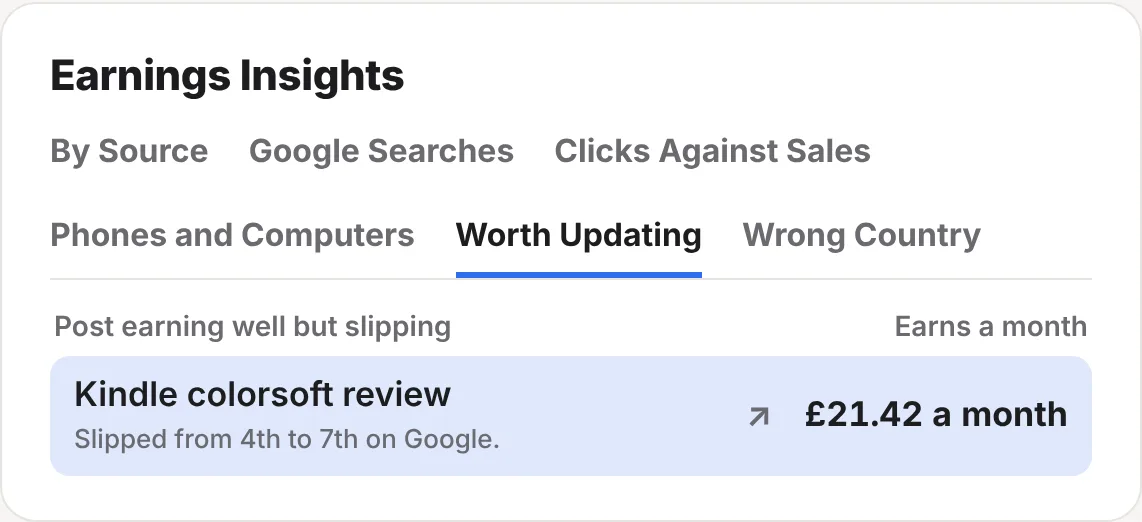
| Worth Updating | Posts that earn well but are slipping on Google or losing readers, with what’s changed. |
| Wrong Country | Amazon stores where many clicks come from readers in another country, which usually earn nothing. |
Wrong Country
A link to amazon.co.uk only earns from readers who buy on amazon.co.uk. When an Amazon store has had at least 20 clicks and 40% or more of them come from readers in other countries, it shows here, with where most of them are. Adding a link to their own Amazon store usually fixes it.
Money alerts
ReaderCount watches your earnings and emails you when something looks wrong:
- Earnings drop sharply: a week 40% or more below your usual for the last four weeks, when you usually earn at least £5 a week.
- A shop stops paying: a shop that paid in the last 60 days has paid nothing for 14 days, while still getting 30 or more clicks.
Each is sent at most once a week for each website, and also shows in Site health. Your week’s earnings are in the Monday email too.
The fine detail
| Clean clicks | A click only counts on a page view that was counted, so bots left out of your visitors are left out of your clicks too. |
| Nightly | Connected networks are read every night for the last 30 days, so late and corrected sales are picked up. |
| Estimates | Sales a network ties to a post are exact. The rest are shared by clicks. Your network’s own report is always the final word. |
| Uploads | CSV files up to 2 MB. |
| Networks per website | Up to 3 on Solo and 10 on Business. |
| Ad earnings | Google AdSense works alongside your networks. See AdSense earnings per post. |
| Ask Claude | With the Claude connector, ask “which posts earned most per 1,000 readers this month?”. |
| Plans | Included on every plan and in the 30-day trial. See plans and prices. |
Questions
Do I need to change my affiliate links?
No. Clicks are counted as they are, and for the networks above ReaderCount adds the post to the link as the reader clicks it. Nothing on your pages changes.
Why don’t my totals match my network’s?
ReaderCount reads the last 30 days each night, and networks often confirm, change or cancel sales later. Your network’s report is the final word.
Can ReaderCount see my network password or change my account?
No. It only uses the API details you paste, which are kept encrypted and only used to read your reports.
Does tagging links tell the network anything about my readers?
No. Only the page’s address is added to the link, never anything about who clicked.
What if my network isn’t listed?
If it lets you download a report as CSV with a date and an earnings column, upload that instead.
Still have a question? Get in touch and we’ll help.