
What you get
- Three kinds of trigger: a page visited, a link clicked or a form sent
- No code on your website
- Your past visits included, so a new trigger shows its history straight away
- Counted as a goal, with sources and pages, in the Goals card
- An email each time, a daily round-up, or just a count
- A message to Slack, Microsoft Teams, Discord, Zapier, Make or anything that takes JSON
The three kinds
| When | What to type | Examples |
|---|---|---|
| Page visited | The page’s address. End it with * for every page that starts that way. | /thank-you, /order/* |
| Link clicked | Part of the link’s address. Works for downloads too. | amazon. for every Amazon link, .pdf for every PDF |
| Form sent | The form’s name as it shows under Goals, or * for any form. | contact, * |
/thank-you matches both /thank-you and /thank-you/. Link matching ignores capital letters.
How to set one up
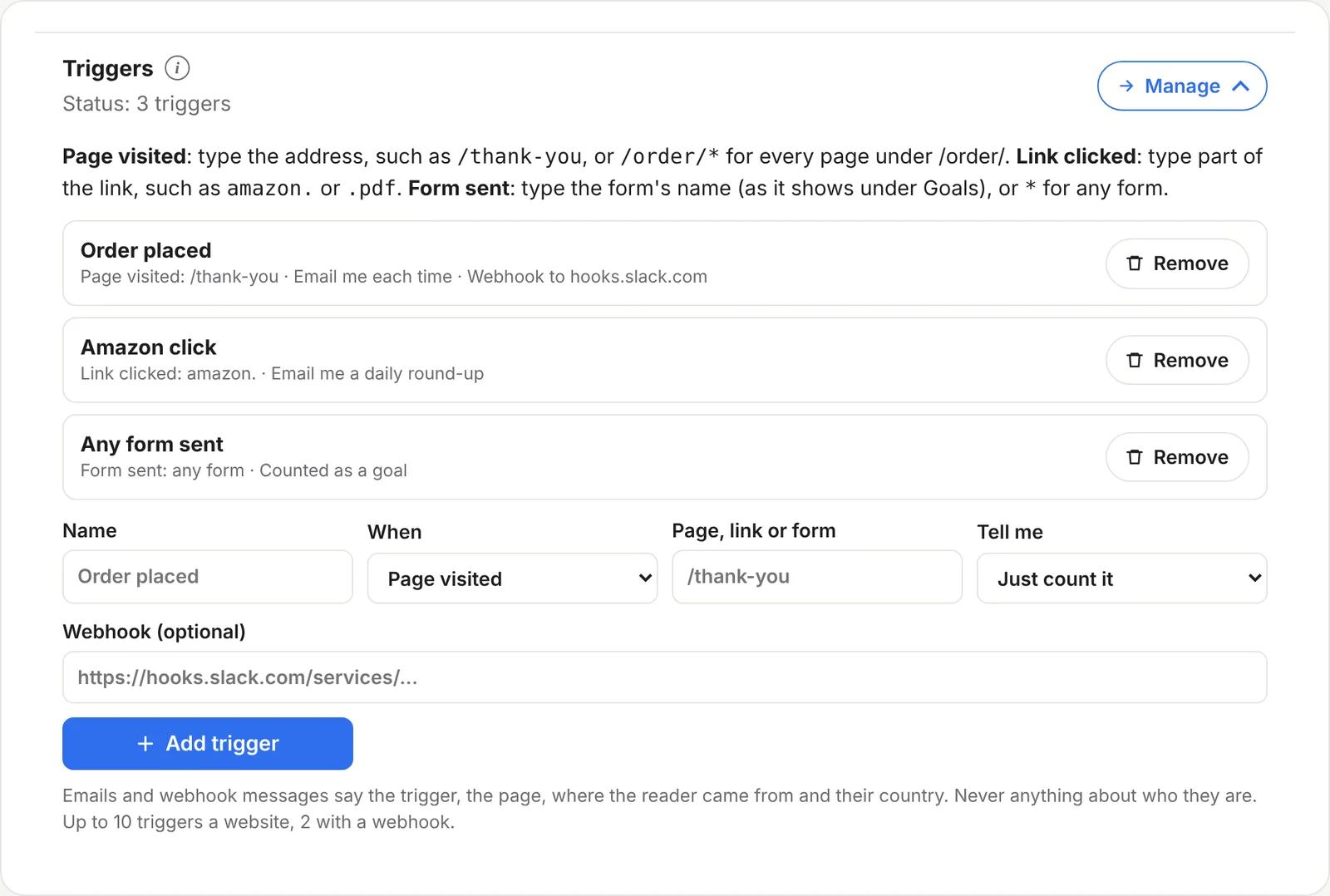
- Open Settings on your stats page and find Triggers. Click Manage.
- Give it a name you’ll recognise, such as “Order placed”. This is the name you’ll see in Goals and in any message.
- Choose When (Page visited, Link clicked or Form sent) and type the page, link or form.
- Choose Tell me: Just count it, Email me each time, or Email me a daily round-up.
- Paste a webhook address if you’d like a message somewhere else as well. This is optional.
- Click Add trigger. It appears in your Goals card straight away, with your past visits counted.
Emails
| Tell me | What happens |
|---|---|
| Just count it | It counts as a goal, with no email. |
| Email me each time | An email every time it happens, saying the page, where the reader came from and their country. Up to your plan’s daily alert emails: 10 a day on Solo, 30 on Business. |
| Email me a daily round-up | One email each morning listing yesterday’s triggers that happened on that website, with how many times and how many visitors. |
Webhooks: Slack, Teams, Discord, Zapier and Make
A webhook is an address another service gives you so other tools can post messages to it. Paste one into a trigger and ReaderCount posts a message there each time it happens.
| Service | Where to get the address |
|---|---|
| Slack | Create an incoming webhook for a channel. It starts https://hooks.slack.com/ |
| Microsoft Teams | Add an incoming webhook or a Workflows webhook to a channel. |
| Discord | Channel settings, then Integrations, then Webhooks. |
| Zapier or Make | Start a Zap or scenario with “Catch hook” or a custom webhook, then send it anywhere: a spreadsheet, your CRM, a text message. |
Slack, Teams and Discord get a message in the form they expect. Anything else gets JSON like this:
{
  "text": "Order placed on yourblog.com: on /thank-you from Google (GB)",
  "trigger": "Order placed",
  "site": "yourblog.com",
  "page": "/thank-you",
  "source": "Google",
  "country": "GB",
  "time": "2026-10-28T09:41:12.000Z"
}
Never anything about the reader. Emails and messages say the trigger, the page, where the reader came from and their country. Nothing about who they are.
Ideas
- Order placed: Page visited
/order-received/*or/thank-you, with a Slack message for each sale. - Amazon clicks: Link clicked
amazon., counted as a goal so you can see which sources bring readers who click. - Guide downloads: Link clicked
.pdf, with a daily round-up. - Enquiries: Form sent
contact, emailed each time so you can reply quickly. - New sign-ups to a spreadsheet: Form sent
*with a Zapier webhook that adds a row with the page and source.
The fine detail
| How many | Up to 10 triggers per website on Solo, 2 with a webhook. Up to 50 on Business, 10 with a webhook. |
| Webhook limit | Up to 200 messages per trigger a day, so a busy page can’t flood a channel. |
| Webhook addresses | Must start with https:// and be on the public internet. |
| Lengths | Names up to 60 characters, pages and links up to 200. |
| A webhook that’s down | Doesn’t stop the visit being counted. |
| Bots | Triggers only fire for visits that were counted, so bots don’t set them off. |
| Plans | Included on every plan and in the 30-day trial. See plans and prices. |
Questions
What’s the difference between a trigger and a goal?
A trigger is a goal you set up in Settings rather than in your website’s code. It shows in the Goals card with a Trigger tag, and it can also email you or post a webhook.
Why does a new trigger already have numbers?
Triggers are worked out from the visits ReaderCount already counted, so you see their past straight away.
Can I get a Slack message for every sale?
Yes, if your shop sends buyers to a thank-you page on your website. Set up a Page visited trigger for it with your Slack webhook.
Will a busy page flood my channel?
No. Each trigger posts at most 200 webhook messages a day, and emails each time stop at your plan’s daily alert emails.
Do messages include anything about the reader?
No. Just the trigger, the page, the source and the country.
Still have a question? Get in touch and we’ll help.